Retrieving Information from a Table
Retrieve particular rows by Where clause
- Where clause in MySQL is used to specifying conditions to satisfy
- If you don't want to see entire table, particularly when it becomes large. Then you use the where clause.
Syntax-SELECT < field1, field2,...fieldN > FROM < table name> WHERE [ condition1 [ AND or OR ] condition2 ]
Example-
Mysql> select *from  employee where department='IT' and emp_id=3;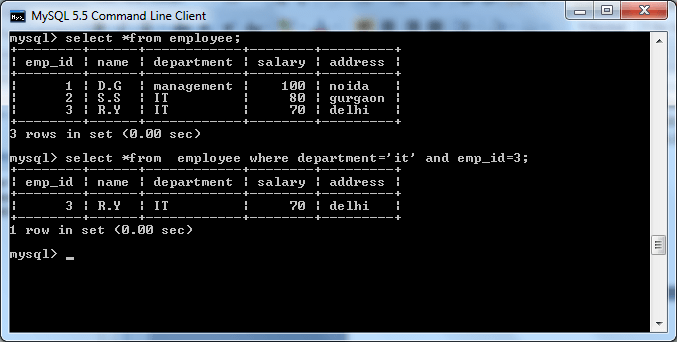
| Operator | Descripion |
|---|---|
| < | If left operand is less than the right operand then the condition is true. |
| > | If right operand is less than the right operand then the condition is true. |
| = | If value of two operands equal then the condition is true |
| != | If value of two operands are not equal then the condition is true |
| <= | If left operand is less than or equal to the right operand then the condition is true. |
| >= | If right operand is less than or equal to the right operand then the condition is true. |
Retrieve particular rows by Like clause:
- Like clause is used to fetch a particular pattern in a column .
- When you use Like clause; use the LIKE or NOT LIKE comparison operators instead = or < >.
- This is known as MySQL patterns, MySQL patterns are case sensitive by default.
- MySQL pattern matching enables you to use "_" to match any single character and "%" to match an arbitrary number of characters (including zero characters)
- There are various examples of LIKE Clause
mysql>SELECT *from employee where department LIKE 'i%';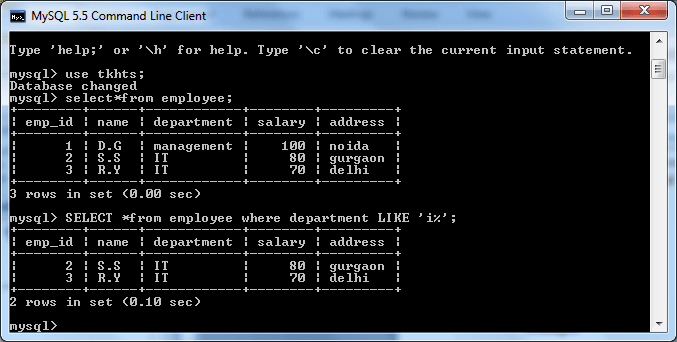
mysql>SELECT *from employee where department LIKE '%t';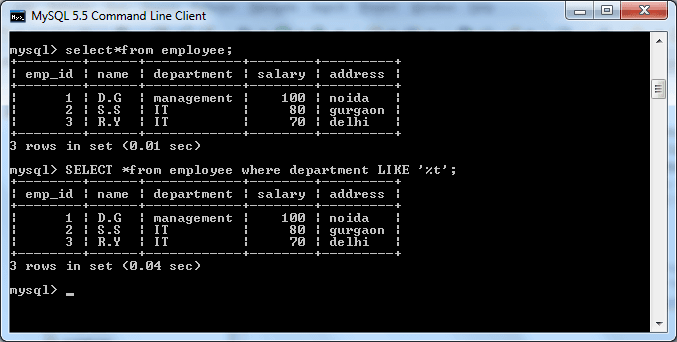
mysql>SELECT *FROM employee where department like '%g%';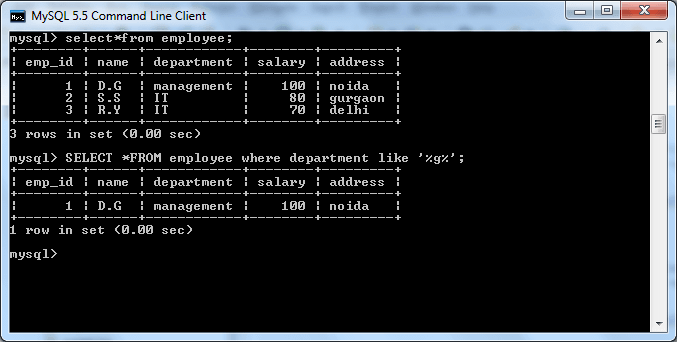
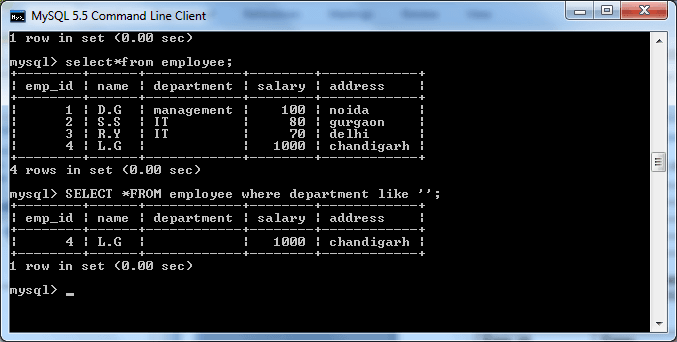
mysql>SELECT *FROM employee where department like' ';