

Spring First Example
- Step-1 Download Spring framework binaries from http://www.springsource.org/download
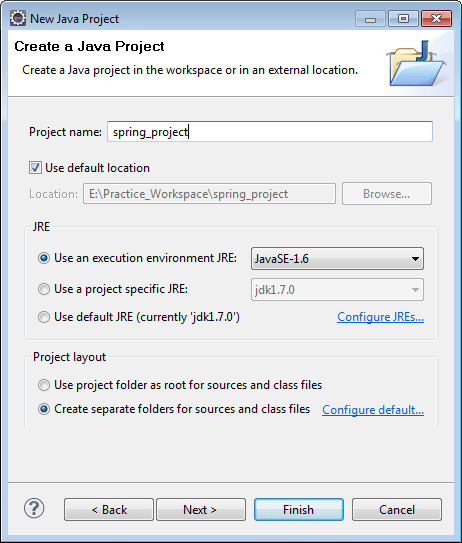
- Step-2 Create java project by click on new >> project >> java project >> enter project name >> ok.
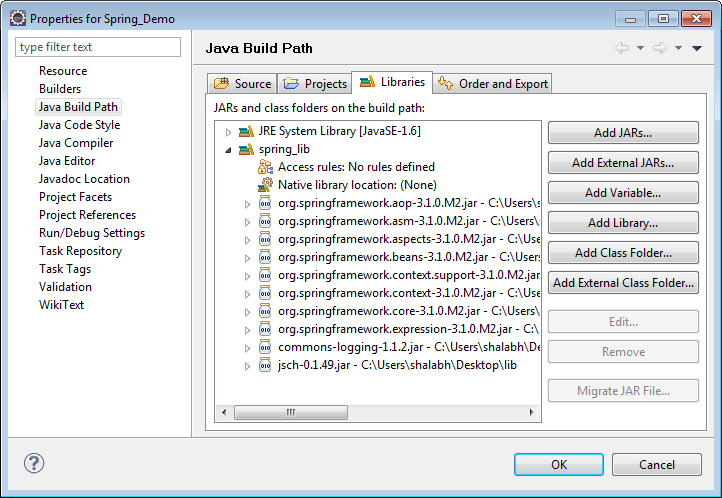
- Step-3 Add Spring jars to classpath by right click on project >> properties >> java build path >> libraries >> add external jars >> ok.
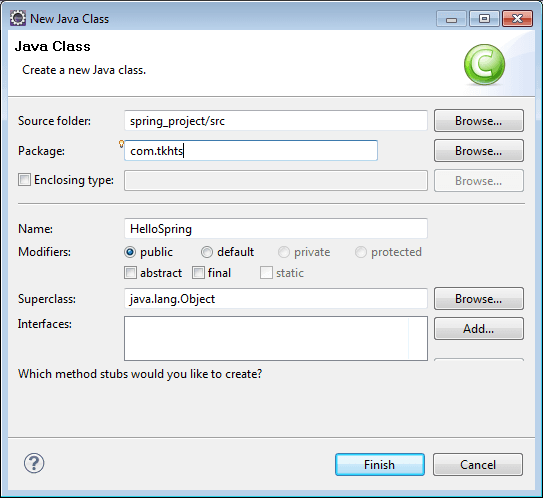
- Step-4 Create java class by right-click on project >> New >> class >> class name >> finish.
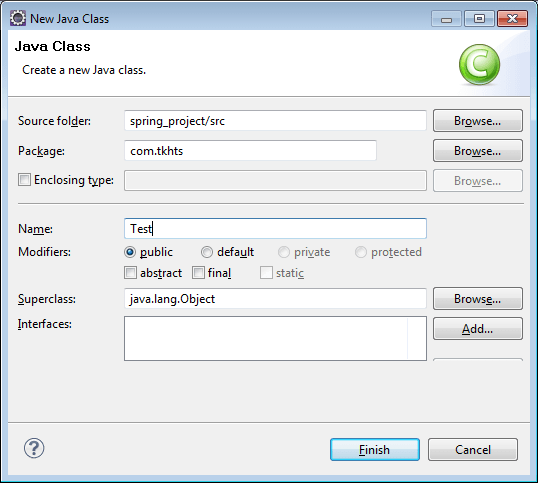
- Step-5 Create another java class by right-click on project >> New >> class >> class name >> finish.
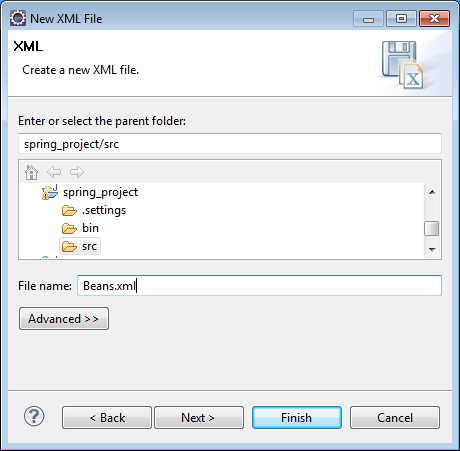
- Step-6 Create XML file by right-click on project src folder >> New >> other >> XML >> XML file >> enter file name Beans.xml >> finish.
HelloSpring.java File
package com.jtechies;

public class HelloSpring {
	private String message;
	   public void setMessage(String message){
	      this.message  = message;
	   }

	   public void getMessage(){
	      System.out.println("Your Message : " + message);
	   }
}
Test.java File
package com.jtechies;

import org.springframework.context.ApplicationContext;
import org.springframework.context.support
		.ClassPathXmlApplicationContext;

public class Test {
   public static void main(String[] args) {
      ApplicationContext context = new
      	ClassPathXmlApplicationContext("Beans.xml");
      HelloSpring obj = (HelloSpring)
      	context.getBean("helloSpring");
      obj.getMessage();
   }
}
Beans.xml file
<?xml version="1.0" encoding="UTF-8"?>

<beans xmlns="http://www.springframework.org/schema/beans"
    xmlns:xsi="http://www.w3.org/2001/XMLSchema-instance"
    xsi:schemaLocation=
    "http://www.springframework.org/schema/beans
    http://www.springframework.org/schema/beans
    	/spring-beans-3.0.xsd">

   <bean id="helloSpring" class="com.jtechies.HelloSpring">
       <property name="message"
       	value="Welcome to the World of spring!"/>
   </bean>

</beans>
Output
Your Message : Welcome to the World of spring!


