Android Examples
Setting Up Buttons with OnClickListener
<?xml version="1.0" encoding="utf-8"?>
<LinearLayout xmlns:android=
	"http://schemas.android.com/apk/res/android"
	xmlns:ads=
	"http://schemas.android.com/apk/lib/com.google.ads"
    android:orientation="vertical"
    android:layout_width="fill_parent"
    android:layout_height="fill_parent"
    >
	<TextView
    android:layout_width="fill_parent"
    android:layout_height="wrap_content"
    android:text="Your total is 0"
    android:id="@+id/tvNumber"
    android:textSize="40dp"
    android:gravity="center"
    />
    <Button
    android:layout_width="250dp"
   	android:layout_height="wrap_content"
   	android:text="Add One"
    android:id="@+id/bAddOne"
    android:layout_gravity="center"
    />
     <Button
    android:layout_width="250dp"
    android:layout_height="wrap_content"
    android:text="Subtract One"
    android:id="@+id/bSubOne"
    android:layout_gravity="center"
    />
</LinearLayout>
package com.jtechies.androidapp;

import android.app.Activity;
import android.os.Bundle;
import android.view.View;
import android.widget.Button;
import android.widget.TextView;

public class MainActivity extends Activity {

	int counter;
	Button add, sub;
	TextView display;

    @Override
    protected void onCreate
    	(Bundle savedInstanceState)
    {
        super.onCreate(savedInstanceState);
        setContentView(R.layout.activity_main);
        counter = 0;
        add = (Button) findViewById(R.id.bAddOne);
        sub = (Button) findViewById(R.id.bSubOne);
        display = (TextView)
        	findViewById(R.id.tvNumber);

        add.setOnClickListener
        	(new View.OnClickListener()
        {

			@Override
			public void onClick(View v)
			{
				// TODO Auto-generated method stub
				counter++;
				display.setText
					("Your Total is " + counter);
			}
		});
		sub.setOnClickListener
			(new View.OnClickListener()
		{
			@Override
			public void onClick(View v) {
				// TODO Auto-generated method stub
				counter--;
				display.setText
					("Your Total is " + counter);
			}
		});
	}
}
<?xml version="1.0" encoding="utf-8"?>
<manifest xmlns:android=
	"http://schemas.android.com/apk/res/android"
    package="com.jtechies.androidapp"
    android:versionCode="1"
    android:versionName="1.0" >

    <uses-sdk
        android:minSdkVersion="8"
        android:targetSdkVersion="17" />

    <application
        android:allowBackup="true"
        android:icon="@drawable/ic_launcher"
        android:label="@string/app_name"
        android:theme="@style/AppTheme" >
       <activity
            android:name=
            	"com.jtechies.androidapp.MainActivity"
            android:label="@string/app_name" >
            <intent-filter>
                <action android:name=
                	"android.intent.action.MAIN" />

               <category android:name=
               	"android.intent.category.LAUNCHER" />
            </intent-filter>
        </activity>
   </application>

</manifest>

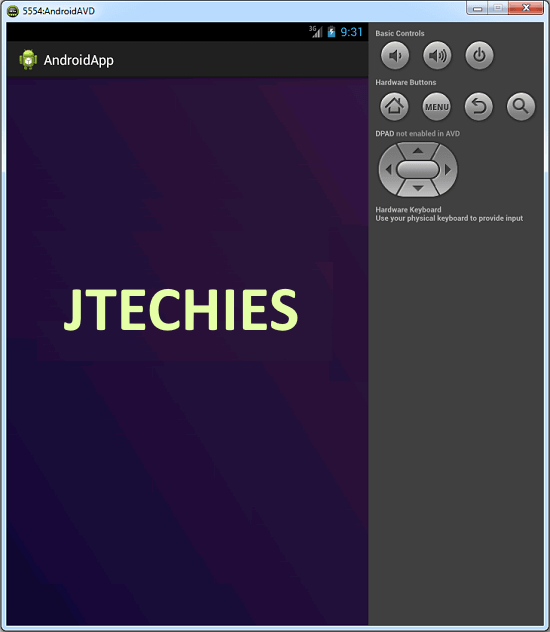
Setting Up Background Image
<?xml version="1.0" encoding="utf-8"?>
<LinearLayout xmlns:android=
	"http://schemas.android.com/apk/res/android"
    android:layout_width="match_parent"
    android:layout_height="match_parent"
    android:orientation="vertical"
    android:background="@drawable/splash_back"
    >
</LinearLayout>
package com.jtechies.androidapp;

import android.app.Activity;
import android.content.Intent;
import android.content.SharedPreferences;
import android.media.MediaPlayer;
import android.os.Bundle;
import android.preference.PreferenceManager;

public class Splash extends Activity{

	MediaPlayer ourSong;

	@Override
	protected void onCreate(Bundle jtechies) {
		// TODO Auto-generated method stub
		super.onCreate(jtechies);
		setContentView(R.layout.splash);

		Thread timer = new Thread(){
			public void run(){
				try{
					sleep(5000);

				} catch(InterruptedException e){
					e.printStackTrace();
				} finally{
					Intent openStartingPoint = new Intent
					("com.jtechies.androidapp.Menu");
					startActivity(openStartingPoint);
				}
			}
		};
		timer.start();
	}

	@Override
	protected void onPause() {
		// TODO Auto-generated method stub
		super.onPause();
		ourSong.release();
		finish();
	}

}
<?xml version="1.0" encoding="utf-8"?>
<manifest xmlns:android=
	"http://schemas.android.com/apk/res/android"
    package="com.jtechies.androidapp"
    android:versionCode="1"
    android:versionName="1.0" >

    <uses-sdk
        android:minSdkVersion="8"
        android:targetSdkVersion="17" />

    <application
        android:allowBackup="true"
        android:icon="@drawable/ic_launcher"
        android:label="@string/app_name"
        android:theme="@style/AppTheme" >

       <activity
            android:name=".Splash"
            android:label="@string/app_name" >
             <intent-filter>
                 <action android:name=
                 	"android.intent.action.MAIN" />

                 <category android:name=
                 	"android.intent.category.LAUNCHER" />
             </intent-filter>
       </activity>

       <activity
            android:name=
            	"com.jtechies.androidapp.MainActivity"
            android:label="@string/app_name" >
            <intent-filter>
                <action android:name=
                	"android.intent.action.MAIN" />

               <category android:name=
               	"android.intent.category.LAUNCHER" />
            </intent-filter>
        </activity>
   </application>

</manifest>
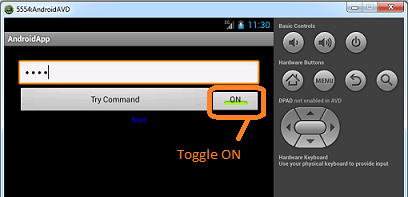
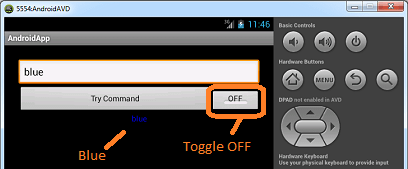
Setting Up Toggle Button, Gravity [left, center, right] and Color for Text
<?xml version="1.0" encoding="utf-8"?>
<LinearLayout xmlns:android=
	"http://schemas.android.com/apk/res/android"
    android:padding="25dp"
    android:layout_width="match_parent"
    android:layout_height="match_parent"
    android:orientation="vertical" >

    <EditText
    android:layout_width="fill_parent"
    android:layout_height="wrap_content"
    android:id="@+id/etCommands"
    android:hint="Type a Command"
    android:password="true"
    >

</EditText>

    <LinearLayout
    android:weightSum="100"
    android:layout_width="fill_parent"
    android:layout_height="wrap_content"
    android:orientation="horizontal"
        >

    <Button
        android:layout_weight="20"
        android:id="@+id/bResults"
        android:layout_width="fill_parent"
        android:layout_height="wrap_content"
        android:text="Try Command" />

    <ToggleButton
        android:layout_weight="80"
        android:paddingBottom="15dp"
        android:checked="true"
        android:id="@+id/tbPassword"
        android:layout_width="fill_parent"
        android:layout_height="wrap_content"
        android:text="ToggleButton" />

	</LinearLayout>


    <TextView
        android:id="@+id/tvResults"
        android:gravity="center"
        android:layout_width="fill_parent"
        android:layout_height="wrap_content"
        android:text="invalid" />

</LinearLayout>
package com.jtechies.androidapp;

import java.util.Random;

import android.app.Activity;
import android.graphics.Color;
import android.os.Bundle;
import android.text.InputType;
import android.view.Gravity;
import android.view.View;
import android.widget.Button;
import android.widget.EditText;
import android.widget.TextView;
import android.widget.ToggleButton;

public class TextPlay extends Activity
	implements View.OnClickListener{

	Button chkCmd;
	ToggleButton passTog;
	EditText input;
	TextView display;
	@Override
	protected void onCreate
		(Bundle savedInstanceState) {
		// TODO Auto-generated method stub
		super.onCreate(savedInstanceState);
		setContentView(R.layout.text);

		jtechies();
		passTog.setOnClickListener(this);
		chkCmd.setOnClickListener(this);
	}
	private void jtechies() {
		// TODO Auto-generated method stub
		chkCmd = (Button)
			findViewById(R.id.bResults);
		passTog = (ToggleButton)
			findViewById(R.id.tbPassword);
		input = (EditText)
			findViewById(R.id.etCommands);
		display = (TextView)
			findViewById(R.id.tvResults);
	}
	@Override
	public void onClick(View view) {
		// TODO Auto-generated method stub
		switch(view.getId()){
		case R.id.bResults:

				// TODO Auto-generated method stub
				String check =
					input.getText().toString();
				display.setText(check);
				if(check.contentEquals("left")){
					display.setGravity(Gravity.LEFT);
				}
				else if (check.contentEquals("center")){
					display.setGravity(Gravity.CENTER);
				}
				else if (check.contentEquals("right")){
					display.setGravity(Gravity.RIGHT);
				}
				else if (check.contentEquals("blue")){
					display.setTextColor(Color.BLUE);
				}
				else if (check.contains("WTF")){
					Random crazy = new Random();
					display.setText("WTF!!!!");
					display.setTextSize
					(crazy.nextInt(75));
					display.setTextColor
					(Color.rgb(crazy.nextInt(265),
					crazy.nextInt(265),
					crazy.nextInt(265)));
					switch(crazy.nextInt(3)){
					case 0:
						display.setGravity
							(Gravity.LEFT);
						break;
					case 1:
						display.setGravity
							(Gravity.CENTER);
						break;
					case 2:
						display.setGravity
							(Gravity.RIGHT);
						break;
					}
				}
				else{
					display.setText("invalid");
					display.setGravity(Gravity.CENTER);
					display.setTextColor(Color.WHITE);
				}
			break;

		case R.id.tbPassword:
			if(passTog.isChecked()){
				input.setInputType
					(InputType.TYPE_CLASS_TEXT |
				InputType.TYPE_TEXT_VARIATION_PASSWORD);
			}
			else{
				input.setInputType
					(InputType.TYPE_CLASS_TEXT);
			}
			break;
		}
	}
}
<?xml version="1.0" encoding="utf-8"?>
<manifest xmlns:android=
	"http://schemas.android.com/apk/res/android"
    package="com.jtechies.androidapp"
    android:versionCode="1"
    android:versionName="1.0" >

    <uses-sdk
        android:minSdkVersion="8"
        android:targetSdkVersion="17" />

    <application
        android:allowBackup="true"
        android:icon="@drawable/ic_launcher"
        android:label="@string/app_name"
        android:theme="@style/AppTheme" >

       <activity
            android:name=".TextPlay"
            android:label="@string/app_name"
            android:theme="@android:style/Theme.Black">
       </activity>

   </application>

</manifest>

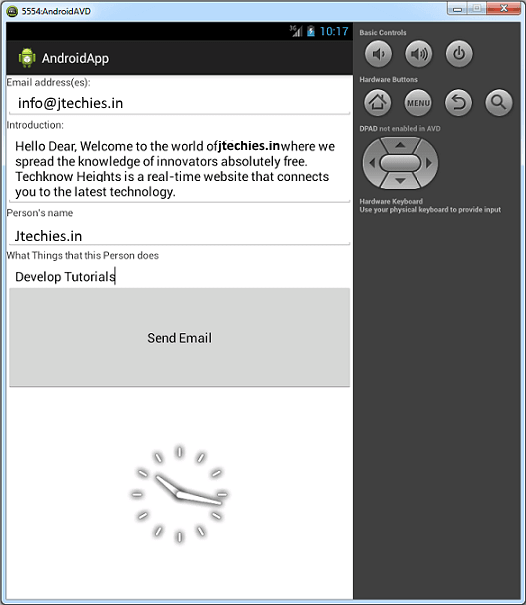
E-mail sending Application in Android
<?xml version="1.0" encoding="utf-8"?>
<LinearLayout xmlns:android=
	"http://schemas.android.com/apk/res/android"
	android:orientation="vertical"
	android:layout_width="match_parent"
	android:weightSum="100"
	android:layout_height="match_parent">
	<ScrollView
	    android:layout_weight="30"
	    android:layout_width="fill_parent"
		android:layout_height="fill_parent">

		<LinearLayout
		    android:orientation="vertical"
			android:layout_width="match_parent"
			android:layout_height="match_parent">
			<TextView
			    android:text="Email address(es):"
				android:layout_width="wrap_content"
				android:layout_height="wrap_content">

			</TextView>
			<EditText
			    android:layout_height="wrap_content"
				android:layout_width="match_parent"
				android:id="@+id/etEmails">
			</EditText>
			<TextView
			    android:text="Introduction:"
				android:layout_width="wrap_content"
				android:layout_height="wrap_content">

			</TextView>
			<EditText
			    android:layout_height="wrap_content"
				android:layout_width="match_parent"
				android:id="@+id/etIntro">

			</EditText>
			<TextView
			    android:text="Person's name"
			    android:layout_width="wrap_content"
				android:layout_height="wrap_content">

			</TextView>
			<EditText
			    android:layout_height="wrap_content"
				android:layout_width="match_parent"
				android:id="@+id/etName">

			</EditText>
			<TextView
			    android:text=
			    	"What Things that this Person does"
				android:layout_width="wrap_content"
				android:layout_height="wrap_content">

			</TextView>
			<EditText
			    android:layout_height="wrap_content"
				android:layout_width="match_parent"
				android:id="@+id/etThings">

			</EditText>
			<TextView
			    android:text=
			    	"What you want to do to this person:"
				android:layout_width="wrap_content"
				android:layout_height="wrap_content">

			</TextView>
			<EditText
			    android:layout_height="wrap_content"
				android:layout_width="match_parent"
				android:id="@+id/etAction">

			</EditText>
			<TextView
			    android:text="Outro"
			    android:layout_width="wrap_content"
				android:layout_height="wrap_content">

			</TextView>
			<EditText
			    android:layout_height="wrap_content"
				android:layout_width="match_parent"
				android:id="@+id/etOutro">

			</EditText>
		</LinearLayout>
	</ScrollView>
	<LinearLayout
	    android:orientation="vertical"
		android:layout_width="match_parent"
		android:layout_weight="40"
		android:layout_height="fill_parent">
		<Button
		    android:text="Send Email"
		    android:id="@+id/bSentEmail"
			android:layout_width="fill_parent"
			android:layout_height="fill_parent">

		</Button>
	</LinearLayout>
	<LinearLayout
	    android:orientation="vertical"
		android:layout_width="match_parent"
		android:layout_weight="30"
		android:layout_height="fill_parent">
		<AnalogClock
		    android:id="@+id/analogClock1"
			android:layout_width="fill_parent"
			android:layout_height="fill_parent">

		</AnalogClock>
	</LinearLayout>
</LinearLayout>
package com.jtechies.androidapp;

import android.app.Activity;
import android.content.Intent;
import android.os.Bundle;
import android.view.View;
import android.widget.Button;
import android.widget.EditText;

public class Email extends Activity
	implements View.OnClickListener {

	EditText personsEmail, intro,
	personsName, stupidThings, hatefulAction,
			outro;
	String emailAdd, beginning, name,
		stupidAction, hatefulAct, out;
	Button sendEmail;

	@Override
	protected void onCreate
		(Bundle savedInstanceState) {
		// TODO Auto-generated method stub
		super.onCreate(savedInstanceState);
		setContentView(R.layout.email);
		initializeVars();
		sendEmail.setOnClickListener(this);
	}

	private void initializeVars() {
		// TODO Auto-generated method stub
		personsEmail = (EditText)
			findViewById(R.id.etEmails);
		intro = (EditText)
			findViewById(R.id.etIntro);
		personsName = (EditText)
			findViewById(R.id.etName);
		stupidThings = (EditText)
			findViewById(R.id.etThings);
		hatefulAction = (EditText)
			findViewById(R.id.etAction);
		outro = (EditText)
			findViewById(R.id.etOutro);
		sendEmail = (Button)
			findViewById(R.id.bSentEmail);
	}

	public void onClick(View v) {
		// TODO Auto-generated method stub

		convertEditTextVarsIntoStrings
		AndYesThisIsAMethodWeCreated();
		String emailaddress[] = { emailAdd };
		String message = "Hello Dear, "
				+ name
				+ " Welcome to the world of jtechies.com "
				+ beginning
				+ " where we spread the
				knowledge of innovators
				absolutely free. "
				+ stupidAction
				+ " jtechies Heights is a
				real-time website "
				+ hatefulAct
				+ " that connects you "
				+ out
				+ " to the latest technology."
				+ '\n';
		Intent emailIntent = new Intent
		(android.content.Intent.ACTION_SEND);
		emailIntent.putExtra
		(android.content.Intent.EXTRA_EMAIL,
			emailaddress);
		emailIntent.putExtra
		(android.content.Intent.EXTRA_SUBJECT,
		"jtechies Heights!");
		emailIntent.setType("plain/text");
		emailIntent.putExtra
		(android.content.Intent.EXTRA_TEXT, message);
		startActivity(emailIntent);
	}

	private void convertEditTextVarsInto
	StringsAndYesThisIsAMethodWeCreated() {
		// TODO Auto-generated method stub
		emailAdd = personsEmail.getText().toString();
		beginning = intro.getText().toString();
		name = personsName.getText().toString();
		stupidAction = stupidThings.getText().toString();
		hatefulAct = hatefulAction.getText().toString();
		out = outro.getText().toString();
	}

	@Override
	protected void onPause() {
		// TODO Auto-generated method stub
		super.onPause();
		finish();
	}

}
<?xml version="1.0" encoding="utf-8"?>
<manifest xmlns:android=
	"http://schemas.android.com/apk/res/android"
    package="com.jtechies.androidapp"
    android:versionCode="1"
    android:versionName="1.0" >

    <uses-sdk
        android:minSdkVersion="8"
        android:targetSdkVersion="17" />

    <application
        android:allowBackup="true"
        android:icon="@drawable/ic_launcher"
        android:label="@string/app_name"
        android:theme="@style/AppTheme" >

       <activity
            android:name=".Email"
            android:label="@string/app_name" >
        </activity>

   </application>

</manifest>
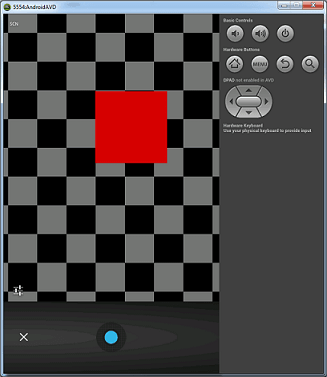
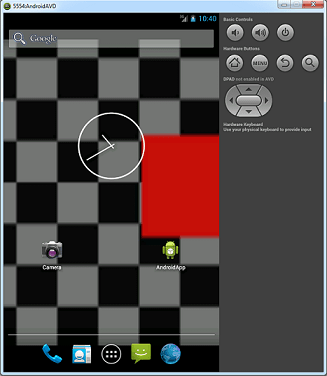
Taking Photo through Camera and Setting it on Wall
<?xml version="1.0" encoding="utf-8"?>
<LinearLayout xmlns:android=
	"http://schemas.android.com/apk/res/android"
    android:layout_width="match_parent"
    android:layout_height="match_parent"
    android:orientation="vertical" >

    <ImageView
        android:id="@+id/ivReturnedPic"
        android:layout_gravity="center"
        android:layout_width="250dp"
        android:layout_height="250dp"
        android:src="@drawable/ic_launcher" />

    <ImageButton
        android:id="@+id/ibTakePic"
        android:layout_gravity="center"
        android:layout_width="125dp"
        android:layout_height="wrap_content"
        android:src="@drawable/ic_launcher" />

    <Button
        android:id="@+id/bSetWall"
        android:layout_gravity="center"
        android:layout_width="125dp"
        android:layout_height="wrap_content"
        android:text="Set Wallpaper" />

</LinearLayout>
package com.jtechies.androidapp;

import java.io.IOException;
import java.io.InputStream;

import android.app.Activity;
import android.content.Intent;
import android.graphics.Bitmap;
import android.graphics.BitmapFactory;
import android.os.Bundle;
import android.view.View;
import android.widget.Button;
import android.widget.ImageButton;
import android.widget.ImageView;

public class Camera extends Activity
	implements View.OnClickListener{

	ImageButton ib;
	Button b;
	ImageView iv;
	Intent i;
	final static int cameraData = 0;
	Bitmap bmp;

	@Override
	protected void onCreate(Bundle savedInstanceState) {
		// TODO Auto-generated method stub
		super.onCreate(savedInstanceState);
		setContentView(R.layout.photo);
		initialize();
		InputStream is = getResources()
		.openRawResource(R.drawable.ic_launcher);
		bmp = BitmapFactory.decodeStream(is);
	}
	private void initialize() {
		// TODO Auto-generated method stub
		iv = (ImageView) findViewById
			(R.id.ivReturnedPic);
		ib = (ImageButton) findViewById
			(R.id.ibTakePic);
		b = (Button) findViewById(R.id.bSetWall);
		b.setOnClickListener(this);
		ib.setOnClickListener(this);
	}
	@Override
	public void onClick(View v) {
		// TODO Auto-generated method stub
		switch (v.getId()){

		case R.id.bSetWall:
			try {
				getApplicationContext().setWallpaper(bmp);
			} catch (IOException e) {
				// TODO Auto-generated catch block
				e.printStackTrace();
			}
		break;

		case R.id.ibTakePic:
		i = new Intent(android.provider
			.MediaStore.ACTION_IMAGE_CAPTURE);
		startActivityForResult(i, cameraData);
		break;
		}
	}
	@Override
	protected void onActivityResult(int requestCode,
		int resultCode, Intent data) {
		// TODO Auto-generated method stub
		super.onActivityResult
			(requestCode, resultCode, data);
		if (resultCode == RESULT_OK){
			Bundle extras = data.getExtras();
			bmp = (Bitmap) extras.get("data");
			iv.setImageBitmap(bmp);
		}
	}

}
<?xml version="1.0" encoding="utf-8"?>
<manifest xmlns:android=
	"http://schemas.android.com/apk/res/android"
    package="com.jtechies.androidapp"
    android:versionCode="1"
    android:versionName="1.0" >

    <uses-sdk
        android:minSdkVersion="8"
        android:targetSdkVersion="17" />

    <application
        android:allowBackup="true"
        android:icon="@drawable/ic_launcher"
        android:label="@string/app_name"
        android:theme="@style/AppTheme" >

       <activity
            android:name=".Camera"
            android:label="@string/app_name" >
        </activity>

   </application>

</manifest>
Animating a Bitmap Using Custom Animation Class and Drawing Bitmaps to Canvas View
package com.jtechies.androidapp;

import android.app.Activity;
import android.content.Context;
import android.os.Bundle;
import android.os.PowerManager;
import android.os.PowerManager.WakeLock;

public class GFX extends Activity{

	Myjtechies ourView;
	WakeLock wL;

	@Override
	protected void onCreate
		(Bundle savedInstanceState) {
		// TODO Auto-generated method stub

		//wake-lock
		PowerManager pM = (PowerManager)
		getSystemService(Context.POWER_SERVICE);
		wL = pM.newWakeLock
		(PowerManager.FULL_WAKE_LOCK, "whatever");

		super.onCreate(savedInstanceState);
		wL.acquire();
		ourView = new Myjtechies(this);
		setContentView(ourView);
	}

	@Override
	protected void onPause() {
		// TODO Auto-generated method stub
		super.onPause();
		wL.release();
	}

}
package com.jtechies.androidapp;

import android.content.Context;
import android.graphics.Bitmap;
import android.graphics.BitmapFactory;
import android.graphics.Canvas;
import android.graphics.Color;
import android.graphics.Paint;
import android.graphics.Paint.Align;
import android.graphics.Rect;
import android.graphics.Typeface;
import android.view.View;

public class Myjtechies extends View{

	Bitmap gBall;
	float changingY;
	Typeface font;

	public Myjtechies(Context context) {
		super(context);
		// TODO Auto-generated constructor stub
		gBall = BitmapFactory.decodeResource
		(getResources(), R.drawable.greenball);
		changingY = 0;
		font = Typeface.createFromAsset
		(context.getAssets(), "G-Unit.ttf");
	}

	@Override
	protected void onDraw(Canvas canvas) {
		// TODO Auto-generated method stub
		super.onDraw(canvas);
		canvas.drawColor(Color.WHITE);

		Paint textPaint = new Paint();
		textPaint.setARGB(50, 254, 10, 50);
		textPaint.setTextAlign(Align.CENTER);
		textPaint.setTextSize(50);
		textPaint.setTypeface(font);
		canvas.drawText("myjtechies",
		canvas.getWidth()/2, 200, textPaint);

		canvas.drawBitmap(gBall,
		(canvas.getWidth()/2), changingY, null);
		if(changingY < canvas.getHeight()){
			changingY += 10;
		}
		else{
			changingY = 0;
		}
		Rect middleRect = new Rect();
		middleRect.set(0, 400, canvas.getWidth(), 550);
		Paint ourBlue = new Paint();
		ourBlue.setColor(Color.BLUE);
		canvas.drawRect(middleRect, ourBlue);
		invalidate();
	}
}
<?xml version="1.0" encoding="utf-8"?>
<manifest xmlns:android=
"http://schemas.android.com/apk/res/android"
    package="com.jtechies.androidapp"
    android:versionCode="1"
    android:versionName="1.0" >

    <uses-sdk
        android:minSdkVersion="8"
        android:targetSdkVersion="17" />

    <application
        android:allowBackup="true"
        android:icon="@drawable/ic_launcher"
        android:label="@string/app_name"
        android:theme="@style/AppTheme" >

       <activity
            android:name=".GFX"
            android:label="@string/app_name" >
        </activity>

   </application>

</manifest>
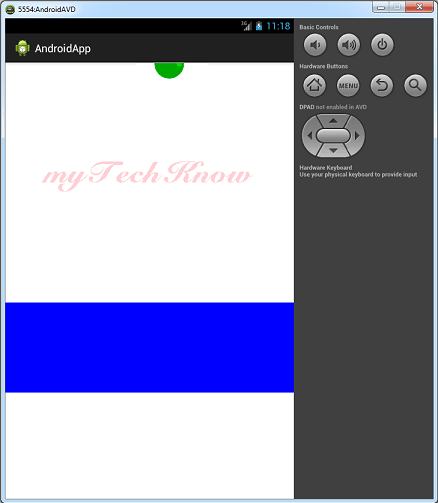
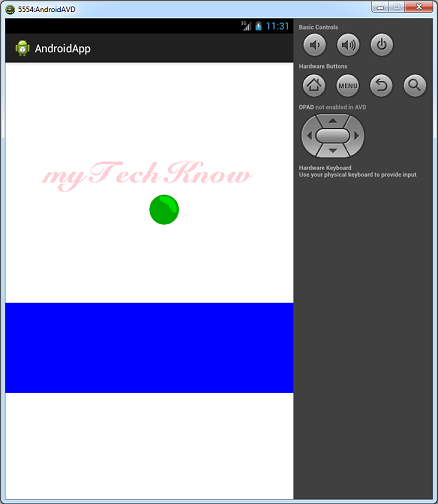
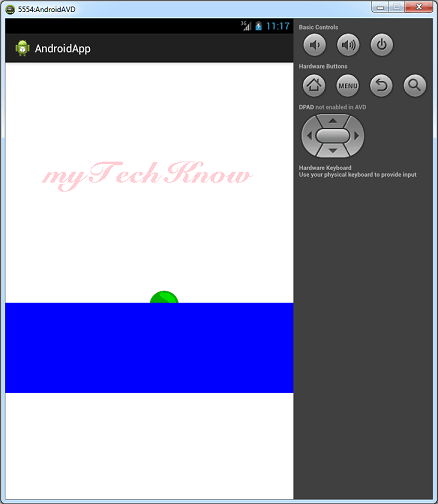
Starting an Activity for a result and Getting Data from a different Activity
<?xml version="1.0" encoding="utf-8"?>
<RelativeLayout xmlns:android=
	"http://schemas.android.com/apk/res/android"
    android:id="@+id/relLayout"
    android:layout_width="match_parent"
    android:layout_height="match_parent" >

    <EditText
        android:id="@+id/etSend"
        android:layout_width="match_parent"
        android:layout_height="wrap_content" >
    </EditText>

    <Button
        android:id="@+id/bSA"
        android:layout_width="wrap_content"
        android:layout_height="wrap_content"
        android:layout_alignParentRight="true"
        android:layout_below="@id/etSend"
        android:text="StartActivity" >
    </Button>

    <Button
        android:id="@+id/bSAFR"
        android:layout_width="wrap_content"
        android:layout_height="wrap_content"
        android:layout_alignTop="@id/bSA"
        android:layout_toLeftOf="@id/bSA"
        android:text="StartActivityForResult" >
    </Button>

    <TextView
        android:id="@+id/tvGot"
        android:layout_width="wrap_content"
        android:layout_height="wrap_content"
        android:layout_below="@id/bSAFR"
        android:text="TextView" >
    </TextView>

</RelativeLayout>
<?xml version="1.0" encoding="utf-8"?>
<LinearLayout xmlns:android=
	"http://schemas.android.com/apk/res/android"
    android:layout_width="match_parent"
    android:layout_height="match_parent"
    android:orientation="vertical" >

    <TextView
        android:id="@+id/tvQuestion"
        android:layout_width="wrap_content"
        android:layout_height="wrap_content"
        android:text="Travis is..."
        android:textAppearance=
        "?android:attr/textAppearanceSmall" />

    <RadioGroup
        android:id="@+id/rgAnswers"
        android:layout_width="wrap_content"
        android:layout_height="wrap_content" >

        <RadioButton
            android:id="@+id/rCrazy"
            android:layout_width="wrap_content"
            android:layout_height="wrap_content"
            android:text="Crazy" />

        <RadioButton
            android:id="@+id/rPower"
            android:layout_width="wrap_content"
            android:layout_height="wrap_content"
            android:text="SUPER Power" />

        <RadioButton
            android:id="@+id/rBoth"
            android:layout_width="wrap_content"
            android:layout_height="wrap_content"
            android:text="Both" />
    </RadioGroup>

    <Button
        android:id="@+id/bReturn"
        android:layout_width="wrap_content"
        android:layout_height="wrap_content"
        android:text="Return" />

    <TextView
        android:id="@+id/tvText"
        android:layout_width="wrap_content"
        android:layout_height="wrap_content"
        android:text="TextView" />

</LinearLayout>
package com.jtechies.androidapp;

import android.app.Activity;
import android.content.Intent;
import android.os.Bundle;
import android.view.View;
import android.view.View.OnClickListener;
import android.widget.Button;
import android.widget.EditText;
import android.widget.RelativeLayout;
import android.widget.TextView;

public class Data extends Activity
	implements OnClickListener {

	Button start, startFor;
	EditText sendET;
	TextView gotAnswer;
	RelativeLayout rl;

	@Override
	protected void onCreate
		(Bundle savedInstanceState) {
		// TODO Auto-generated method stub
		super.onCreate(savedInstanceState);
		setContentView(R.layout.get);
		initialize();
		rl = (RelativeLayout)
		findViewById(R.id.relLayout);

	}

	private void initialize() {
		// TODO Auto-generated method stub
		start = (Button)
			findViewById(R.id.bSA);
		startFor = (Button)
			findViewById(R.id.bSAFR);
		sendET = (EditText)
			findViewById(R.id.etSend);
		gotAnswer = (TextView)
			findViewById(R.id.tvGot);
		start.setOnClickListener(this);
		startFor.setOnClickListener(this);
	}

	public void onClick(View arg0) {
		// TODO Auto-generated method stub
		switch (arg0.getId()) {
		case R.id.bSA:
			String bread =
				sendET.getText().toString();
			Bundle basket = new Bundle();
			basket.putString("key", bread);
			Intent a = new Intent(Data.this,
				OpenedClass.class);
			a.putExtras(basket);
			startActivity(a);
			break;
		case R.id.bSAFR:
			Intent i = new Intent(Data.this,
				OpenedClass.class);
			startActivityForResult(i, 0);
			break;
		}
	}

	@Override
	protected void onActivityResult(int requestCode,
		int resultCode, Intent data) {
		// TODO Auto-generated method stub
		super.onActivityResult(requestCode,
			resultCode, data);
		if (resultCode == RESULT_OK){
			Bundle basket = data.getExtras();
			String s = basket.getString("answer");
			gotAnswer.setText(s);
		}
	}

}
package com.jtechies.androidapp;

import android.app.Activity;
import android.content.Intent;
import android.content.SharedPreferences;
import android.os.Bundle;
import android.preference.PreferenceManager;
import android.view.View;
import android.view.View.OnClickListener;
import android.widget.Button;
import android.widget.RadioGroup;
import android.widget.RadioGroup
		.OnCheckedChangeListener;
import android.widget.TextView;

public class OpenedClass extends Activity
implements OnClickListener, OnCheckedChangeListener {

	TextView question, test;
	Button returnData;
	RadioGroup selectionList;
	String gotBread, setData;


	@Override
	protected void onCreate(Bundle savedInstanceState) {
		// TODO Auto-generated method stub
		super.onCreate(savedInstanceState);
		setContentView(R.layout.send);
		initialize();

		SharedPreferences getData = PreferenceManager
		.getDefaultSharedPreferences(getBaseContext());
		String et = getData.getString("name",
		"jtechies is...");
		String values = getData.getString
		("list", "1");
		if(values.contentEquals("1")){
			question.setText(et);
		}


		Bundle gotBasket = getIntent()
			.getExtras();
		gotBread = gotBasket.getString("key");
		question.setText(gotBread);

	}

	private void initialize() {
		// TODO Auto-generated method stub
		question = (TextView) findViewById
			(R.id.tvQuestion);
		test = (TextView) findViewById(R.id.tvText);
		returnData = (Button) findViewById
			(R.id.bReturn);
		returnData.setOnClickListener(this);
		selectionList = (RadioGroup)
			findViewById(R.id.rgAnswers);
		selectionList.setOnCheckedChangeListener(this );
	}

	public void onClick(View arg0) {
		// TODO Auto-generated method stub
		Intent person = new Intent();
		Bundle backpack = new Bundle();
		backpack.putString("answer", setData);
		person.putExtras(backpack);
		setResult(RESULT_OK, person);
		finish();
	}

	public void onCheckedChanged
		(RadioGroup arg0, int arg1) {
		// TODO Auto-generated method stub
		switch (arg1) {
		case R.id.rCrazy:
			setData = "Probably right!";
			break;
		case R.id.rPower:
			setData = "Definitely right!";
			break;
		case R.id.rBoth:
			setData = "Spot On!";
			break;
		}
		test.setText(setData);
	}
}
<?xml version="1.0" encoding="utf-8"?>
<manifest xmlns:android=
	"http://schemas.android.com/apk/res/android"
    package="com.jtechies.androidapp"
    android:versionCode="1"
    android:versionName="1.0" >

    <uses-sdk
        android:minSdkVersion="8"
        android:targetSdkVersion="17" />

    <application
        android:allowBackup="true"
        android:icon="@drawable/ic_launcher"
        android:label="@string/app_name"
        android:theme="@style/AppTheme" >

       <activity
            android:name=".Data"
            android:label="@string/app_name" >
        </activity>

   </application>

</manifest>
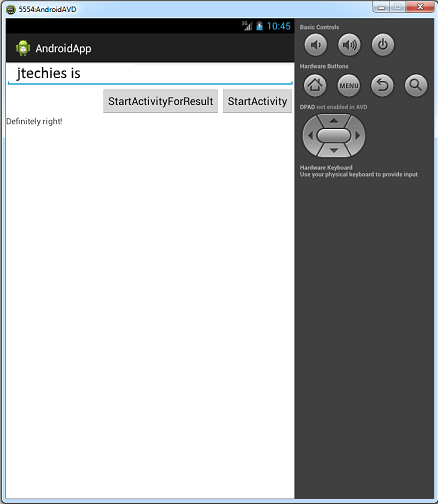
Setting up Animation Thread, OnTouch Method, MotionEvents and Motion Actions with Gaming Programming Concept
package com.jtechies.androidapp;

import android.app.Activity;
import android.content.Context;
import android.graphics.Bitmap;
import android.graphics.BitmapFactory;
import android.graphics.Canvas;
import android.os.Bundle;
import android.view.MotionEvent;
import android.view.SurfaceHolder;
import android.view.SurfaceView;
import android.view.View;
import android.view.View.OnTouchListener;

public class GFXSurface extends Activity
	implements OnTouchListener{

	MyjtechiesSurface ourSurfaceView;
	float x,y, sX, sY, fX, fY, dX, dY,
		aniX, aniY, scaledX, scaledY;
	Bitmap test, plus;


	@Override
	protected void onCreate
		(Bundle savedInstanceState) {
		// TODO Auto-generated method stub
		super.onCreate(savedInstanceState);
		ourSurfaceView = new MyjtechiesSurface(this);
		ourSurfaceView.setOnTouchListener(this);
		x=0;
		y=0;
		sX=0;
		sY=0;
		fX=0;
		fY=0;
		dX = dY = aniX = aniY = scaledX =
			scaledY = 0;
		test = BitmapFactory.decodeResource
		(getResources(), R.drawable.greenball);
		plus = BitmapFactory.decodeResource
		(getResources(), R.drawable.plus);
		setContentView(ourSurfaceView);
	}

	@Override
	protected void onPause() {
		// TODO Auto-generated method stub
		super.onPause();
		ourSurfaceView.pause();
	}

	@Override
	protected void onResume() {
		// TODO Auto-generated method stub
		super.onResume();
		ourSurfaceView.resume();
	}

	@Override
	public boolean onTouch(View v,
		MotionEvent event) {
		// TODO Auto-generated method stub

		try {
			Thread.sleep(50);
		} catch (InterruptedException e) {
			// TODO Auto-generated catch block
			e.printStackTrace();
		}

		x = event.getX();
		y = event.getY();

		switch(event.getAction()){
		case MotionEvent.ACTION_DOWN:
			sX = event.getX();
			sY = event.getY();
			dX = dY = aniX = aniY = scaledX =
				scaledY = fX = fY = 0;
			break;

		case MotionEvent.ACTION_UP:
			fX = event.getX();
			fY = event.getY();
			dX = fX-sX;
			dY = fY-sY;
			scaledX = dX/30;
			scaledY = dY/30;
			x = y = 0;
			break;
		}
		return true;
	}
	public class MyjtechiesSurface extends
		SurfaceView implements Runnable{

		SurfaceHolder ourHolder;
		Thread ourThread = null;
		boolean isRunning = false;

		public MyjtechiesSurface(Context context) {
			// TODO Auto-generated constructor stub
			super(context);
			ourHolder = getHolder();

		}

		public void pause(){
			isRunning = false;
			while(true){
				try {
					ourThread.join();
				} catch (InterruptedException e) {
					// TODO Auto-generated catch block
					e.printStackTrace();
				}
				break;
			}
			ourThread = null;
		}

		public void resume(){
			isRunning = true;
			ourThread = new Thread(this);
			ourThread.start();
		}

		@Override
		public void run() {
			// TODO Auto-generated method stub
			while(isRunning){
				if(!ourHolder.getSurface().isValid())
					continue;

				Canvas canvas = ourHolder.lockCanvas();
				canvas.drawRGB(02, 02, 150);
				if(x != 0 && y != 0){

					canvas.drawBitmap(test,
						x-(test.getWidth()/2),
					 y-(test.getHeight()/2), null);
				}
				if(sX != 0 && sY != 0){

					canvas.drawBitmap(plus,
						sX-(plus.getWidth()/2),
					 sY-(plus.getHeight()/2), null);
				}
				if(fX != 0 && fY != 0){

					canvas.drawBitmap(test,
						fX-(test.getWidth()/2)-aniX,
					 fY-(test.getHeight()/2)-aniY,
					 null);
					canvas.drawBitmap(plus,
					fX-(plus.getWidth()/2),
					 fY-(plus.getHeight()/2), null);

				}
				aniX = aniX + scaledX;
				aniY = aniY + scaledY;
				ourHolder.unlockCanvasAndPost
				(canvas);
			}
		}

	}

}
<?xml version="1.0" encoding="utf-8"?>
<manifest xmlns:android=
	"http://schemas.android.com/apk/res/android"
    package="com.jtechies.androidapp"
    android:versionCode="1"
    android:versionName="1.0" >

    <uses-sdk
        android:minSdkVersion="8"
        android:targetSdkVersion="17" />

    <application
        android:allowBackup="true"
        android:icon="@drawable/ic_launcher"
        android:label="@string/app_name"
        android:theme="@style/AppTheme" >

       <activity
            android:name=".GFXSurface"
            android:label="@string/app_name" >
        </activity>

   </application>

</manifest>

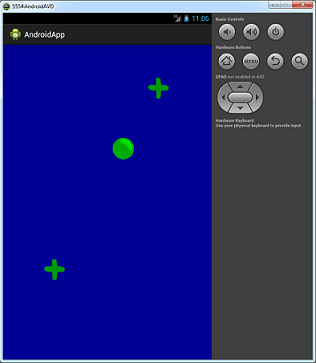
Creating a Soundstuff on click of the Screen
package com.jtechies.androidapp;

import android.app.Activity;
import android.media.AudioManager;
import android.media.MediaPlayer;
import android.media.SoundPool;
import android.os.Bundle;
import android.view.View;
import android.view.View.OnClickListener;
import android.view.View.OnLongClickListener;

public class SoundStuff extends Activity
implements OnClickListener, OnLongClickListener{

	SoundPool sp;
	int explosion = 0;
	MediaPlayer mp;

	@Override
	protected void onCreate
		(Bundle savedInstanceState) {
		// TODO Auto-generated method stub
		super.onCreate(savedInstanceState);
		View v = new View(this);
		v.setOnClickListener(this);
		v.setOnLongClickListener(this);
		setContentView(v);
		sp = new SoundPool(5,
			AudioManager.STREAM_MUSIC, 0);
		explosion = sp.load(this,
			R.raw.explosion, 1);
		mp = MediaPlayer.create(this,
			R.raw.backgroundmusic);
	}

	@Override
	public void onClick(View arg0) {
		// TODO Auto-generated method stub
		if (explosion != 0)
		sp.play(explosion, 1, 1, 0, 0, 1);
	}

	@Override
	public boolean onLongClick(View arg0) {
		// TODO Auto-generated method stub
		mp.start();
		return false;
	}
}
<?xml version="1.0" encoding="utf-8"?>
<manifest xmlns:android=
	"http://schemas.android.com/apk/res/android"
    package="com.jtechies.androidapp"
    android:versionCode="1"
    android:versionName="1.0" >

    <uses-sdk
        android:minSdkVersion="8"
        android:targetSdkVersion="17" />

    <application
        android:allowBackup="true"
        android:icon="@drawable/ic_launcher"
        android:label="@string/app_name"
        android:theme="@style/AppTheme" >

       <activity
            android:name=".SoundStuff"
            android:label="@string/app_name" >
        </activity>

   </application>

</manifest>
When you click on the screen it will explore the sound which you set in the above Example
Creating a Slider with Lock function through checkbox
package com.jtechies.androidapp;

import android.app.Activity;
import android.media.MediaPlayer;
import android.os.Bundle;
import android.view.View;
import android.view.View.OnClickListener;
import android.widget.Button;
import android.widget.CheckBox;
import android.widget.CompoundButton;
import android.widget.CompoundButton
		.OnCheckedChangeListener;
import android.widget.SlidingDrawer;
import android.widget.SlidingDrawer
		.OnDrawerOpenListener;

public class Slider extends Activity
implements OnCheckedChangeListener,
OnClickListener, OnDrawerOpenListener{

	SlidingDrawer sd;

	@Override
	protected void onCreate
		(Bundle savedInstanceState) {
		// TODO Auto-generated method stub
		super.onCreate(savedInstanceState);
		setContentView(R.layout.sliding);
		Button handle1 = (Button)
			findViewById(R.id.handle1);
		Button handle2 = (Button)
			findViewById(R.id.handle2);
		Button handle3 = (Button)
			findViewById(R.id.handle3);
		Button handle4 = (Button)
			findViewById(R.id.handle4);
		CheckBox checkbox = (CheckBox)
			findViewById(R.id.cbSlidable);
		checkbox.setOnCheckedChangeListener(this);
		sd = (SlidingDrawer)
			findViewById(R.id.slidingD);
		sd.setOnDrawerOpenListener(this);
		handle1.setOnClickListener(this);
		handle2.setOnClickListener(this);
		handle3.setOnClickListener(this);
		handle4.setOnClickListener(this);
	}


	@Override
	public void onClick(View arg0) {
		// TODO Auto-generated method stub
		switch (arg0.getId()){
		case R.id.handle1:
			sd.open();
			break;

		case R.id.handle2:
			break;

		case R.id.handle3:
			sd.toggle();
			break;

		case R.id.handle4:
			sd.close();
			break;
		}

	}


	@Override
	public void onCheckedChanged
	(CompoundButton arg0, boolean arg1) {
		// TODO Auto-generated method stub
		if (arg0.isChecked()){
			sd.lock();
		}
		else{
			sd.unlock();
		}

	}


	@Override
	public void onDrawerOpened() {
		// TODO Auto-generated method stub
		MediaPlayer mp =
		MediaPlayer.create
		(this, R.raw.explosion);
	}
}
<?xml version="1.0" encoding="utf-8"?>
<FrameLayout xmlns:android=
"http://schemas.android.com/apk/res/android"
	 android:layout_width="match_parent"
	android:layout_height="match_parent">

	<LinearLayout xmlns:android=
	"http://schemas.android.com/apk/res/android"
	android:orientation="vertical"
	 android:layout_width="match_parent"
	android:layout_height="match_parent">
	<Button android:layout_width=
	"wrap_content" android:text="Handle"
		android:layout_height="wrap_content"
		android:id="@+id/handle1">
	</Button>
			<Button android:layout_width=
			"wrap_content" android:text="Handle1"
			android:layout_height="wrap_content"
			android:id="@+id/handle2">
	</Button>
			<Button android:layout_width=
			"wrap_content" android:text="Handle"
			android:layout_height="wrap_content"
			android:id="@+id/handle3">
	</Button>
			<Button android:layout_width=
			"wrap_content" android:text="Handle"
			android:layout_height="wrap_content"
			android:id="@+id/handle4">
	</Button>
			</LinearLayout>
	<SlidingDrawer
	android:layout_width="match_parent"
		android:id="@+id/slidingD"
		android:layout_height="match_parent"
		android:handle="@+id/handle"
		android:content="@+id/content">
		<Button
		android:layout_width="wrap_content"
		android:text="Handle"
		android:layout_height="wrap_content"
		android:id="@+id/handle">
	</Button>
		<LinearLayout
		android:id="@+id/content"
			android:layout_width="match_parent"
			android:layout_height="match_parent">
			<CheckBox android:text="CheckBox"
			android:id="@+id/cbSlidable"
				android:layout_width="wrap_content"
				android:layout_height="wrap_content">
			</CheckBox>
			</LinearLayout>
	</SlidingDrawer>
</FrameLayout>
<?xml version="1.0" encoding="utf-8"?>
<manifest xmlns:android=
"http://schemas.android.com/apk/res/android"
    package="com.jtechies.androidapp"
    android:versionCode="1"
    android:versionName="1.0" >

    <uses-sdk
        android:minSdkVersion="8"
        android:targetSdkVersion="17" />

    <application
        android:allowBackup="true"
        android:icon="@drawable/ic_launcher"
        android:label="@string/app_name"
        android:theme="@style/AppTheme" >

       <activity
            android:name=".Slider"
            android:label="@string/app_name" >
        </activity>

   </application>

</manifest>
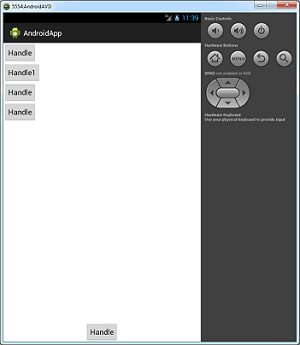
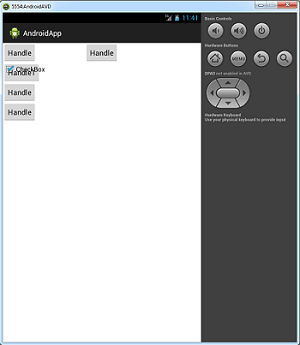
If you check the checkbox then the slider will not slide, by unchecking it you will able to slide up and down.
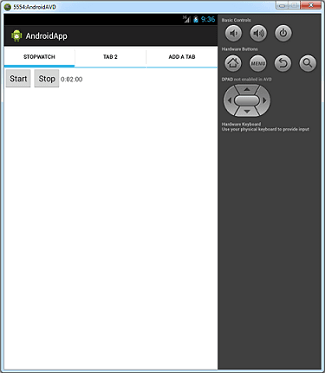
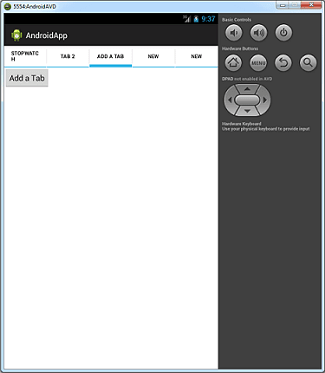
Creating a Stopwatch in Tab with Manually Tab Adding Function Button
package com.jtechies.androidapp;

import android.app.Activity;
import android.os.Bundle;
import android.view.View;
import android.view.View.OnClickListener;
import android.widget.Button;
import android.widget.TabHost;
import android.widget.TabHost.TabSpec;
import android.widget.TextView;

public class Tabs extends Activity
	implements OnClickListener{

	TabHost th;
	TextView showResults;
	long start, stop;

	@Override
	protected void onCreate
	(Bundle savedInstanceState) {
		// TODO Auto-generated method stub
		super.onCreate(savedInstanceState);
		setContentView(R.layout.tabs);
		th = (TabHost) findViewById
			(R.id.tabhost);
		Button newTab = (Button)
			findViewById(R.id.bAddTab);
		Button bStart = (Button)
			findViewById(R.id.bStartWatch);
		Button bStop = (Button)
			findViewById(R.id.bStopWatch);
		showResults = (TextView)
			findViewById(R.id.tvShowResults);

		bStart.setOnClickListener(this);
		bStop.setOnClickListener(this);

		newTab.setOnClickListener(this);


		th.setup();
		TabSpec specs = th.newTabSpec("tag1");
		specs.setContent(R.id.tab1);
		specs.setIndicator("StopWatch");
		th.addTab(specs);
		specs = th.newTabSpec("tag2");
		specs.setContent(R.id.tab2);
		specs.setIndicator("Tab 2");
		th.addTab(specs);
		specs = th.newTabSpec("tag3");
		specs.setContent(R.id.tab3);
		specs.setIndicator("Add a Tab");
		th.addTab(specs);
		start = 0;

	}

	@Override
	public void onClick(View v) {
		// TODO Auto-generated method stub
		switch(v.getId()){
		case R.id.bAddTab:

			TabSpec ourSpec =
				th.newTabSpec("tag1");
			ourSpec.setContent(new
				TabHost.TabContentFactory() {

				@Override
				public View createTabContent
					(String tag) {
					// TODO Auto-generated
					// method stub

					TextView text = new
						TextView(Tabs.this);
					text.setText("You've
					created a new Tab!");
					return null;
				}
			});
			ourSpec.setIndicator("New");
			th.addTab(ourSpec);

			break;

		case R.id.bStartWatch:
			start = System.currentTimeMillis();
			break;

		case R.id.bStopWatch:
			stop = System.currentTimeMillis();

			if (start !=0){
				long result = stop - start;
				int millis = (int) result;
				int seconds = (int) result/1000;
				int minutes = seconds/60;
				millis = millis % 100;
				seconds = seconds % 60;

				showResults.setText(String.format
				("%d:%02d:%02d", minutes, seconds,
				 millis));
			}
			break;
		}
	}

}
<?xml version="1.0" encoding="utf-8"?>
<LinearLayout xmlns:android=
"http://schemas.android.com/apk/res/android"
    android:layout_width="match_parent"
    android:layout_height="match_parent"
    android:orientation="vertical" >

    <TabHost
        android:id="@+id/tabhost"
        android:layout_width="match_parent"
        android:layout_height="match_parent" >

        <LinearLayout
            android:layout_width="match_parent"
            android:layout_height="match_parent"
            android:orientation="vertical" >

            <TabWidget
                android:id="@android:id/tabs"
                android:layout_width="match_parent"
                android:layout_height="wrap_content">
            </TabWidget>

            <FrameLayout
                android:id="@android:id/tabcontent"
                android:layout_width="match_parent"
                android:layout_height="match_parent" >

                <LinearLayout
                    android:id="@+id/tab1"
                    android:layout_width=
                    	"match_parent"
                    android:layout_height=
                    "match_parent">

                    <Button
                        android:id="@+id/bStartWatch"
                        android:layout_width=
                        	"wrap_content"
                        android:layout_height=
                        	"wrap_content"
                        android:text="Start" />

                  <Button
                      android:id="@+id/bStopWatch"
                      android:layout_width="wrap_content"
                      android:layout_height="wrap_content"
                      android:text="Stop" />

                  <TextView
                      android:id="@+id/tvShowResults"
                      android:layout_width="wrap_content"
                      android:layout_height="wrap_content"
                      android:text="TextView" />

                </LinearLayout>

                <LinearLayout
                    android:id="@+id/tab2"
                    android:layout_width="match_parent"
                    android:layout_height="match_parent" >
                  <TextView
                      android:id="@+id/textView2"
                      android:layout_width="wrap_content"
                      android:layout_height="wrap_content"
                      android:text="TextView" />
                </LinearLayout>

                <LinearLayout
                    android:id="@+id/tab3"
                    android:layout_width="match_parent"
                    android:layout_height="match_parent" >
                  <Button
                      android:id="@+id/bAddTab"
                      android:layout_width="wrap_content"
                      android:layout_height="wrap_content"
                      android:text="Add a Tab" />
                </LinearLayout>
            </FrameLayout>
        </LinearLayout>
    </TabHost>

</LinearLayout>
<?xml version="1.0" encoding="utf-8"?>
<manifest xmlns:android=
"http://schemas.android.com/apk/res/android"
    package="com.jtechies.androidapp"
    android:versionCode="1"
    android:versionName="1.0" >

    <uses-sdk
        android:minSdkVersion="8"
        android:targetSdkVersion="17" />

    <application
        android:allowBackup="true"
        android:icon="@drawable/ic_launcher"
        android:label="@string/app_name"
        android:theme="@style/AppTheme" >

       <activity
            android:name=".Tabs"
            android:label="@string/app_name" >
        </activity>

   </application>

</manifest>
Creating own Browser in Android
package com.jtechies.androidapp;

import android.app.Activity;
import android.content.Context;
import android.os.Bundle;
import android.view.View;
import android.view.View.OnClickListener;
import android.view.inputmethod.InputMethodManager;
import android.webkit.WebView;
import android.widget.Button;
import android.widget.EditText;

public class SimpleBrowser extends Activity
	implements OnClickListener{


	EditText url;
	WebView ourBrow;

	@Override
	protected void onCreate
	(Bundle savedInstanceState) {
		// TODO Auto-generated method stub
		super.onCreate(savedInstanceState);
		setContentView(R.layout.simplebrowser);

		ourBrow = (WebView)
			findViewById(R.id.wvBrowser);

		ourBrow.getSettings()
			.setJavaScriptEnabled(true);
		ourBrow.getSettings()
			.setLoadWithOverviewMode(true);
		ourBrow.getSettings()
			.setUseWideViewPort(true);

		ourBrow.setWebViewClient
			(new ourViewClient());
		try{
			ourBrow.loadUrl
			("http://www.google.com");
		}catch(Exception e){
			e.printStackTrace();
		}

		Button go = (Button)
			findViewById(R.id.bGo);
		Button back = (Button)
			findViewById(R.id.bBack);
		Button refresh = (Button)
			findViewById(R.id.bRefresh);
		Button forward = (Button)
			findViewById(R.id.bForward);
		Button clearHistory = (Button)
			findViewById(R.id.bHistory);
		url = (EditText) findViewById
			(R.id.etURL);
		go.setOnClickListener(this);
		back.setOnClickListener(this);
		refresh.setOnClickListener(this);
		forward.setOnClickListener(this);
		clearHistory.setOnClickListener(this);
	}

	public void onClick(View v) {
		// TODO Auto-generated method stub
		switch (v.getId()){
		case R.id.bGo:
			String theWebsite =
			url.getText().toString();
			ourBrow.loadUrl(theWebsite);
			//Hiding the Keyboard after
			//using an EditText
			InputMethodManager imm =
			(InputMethodManager)
			getSystemService
			(Context.INPUT_METHOD_SERVICE);
			imm.hideSoftInputFromWindow
			(url.getWindowToken(), 0);
			break;
		case R.id.bBack:
			if (ourBrow.canGoBack())
			ourBrow.goBack();
			break;
		case R.id.bForward:
			if (ourBrow.canGoForward())
				ourBrow.goForward();
			break;
		case R.id.bRefresh:
			ourBrow.reload();
			break;
		case R.id.bHistory:
			ourBrow.clearHistory();
			break;
		}
	}

}
<?xml version="1.0" encoding="utf-8"?>
<LinearLayout xmlns:android=
"http://schemas.android.com/apk/res/android"
	android:orientation="vertical"
	android:layout_width="match_parent"
	android:layout_height="match_parent">
	<LinearLayout xmlns:android=
	"http://schemas.android.com/apk/res/android"
		android:orientation="horizontal"
		android:weightSum="10"
		android:layout_width="match_parent"
		android:layout_height="wrap_content">
		<EditText android:layout_width=
		"match_parent"
			android:layout_weight="2"
			android:layout_height=
			"wrap_content"
			android:id="@+id/etURL">
		</EditText>
		<Button android:text="Go"
		android:id="@+id/bGo"
			android:layout_weight="8"
			android:layout_width="fill_parent"
			android:layout_height=
			"wrap_content">
		</Button>
	</LinearLayout>
	<LinearLayout xmlns:android=
	"http://schemas.android.com/apk/res/android"
		android:orientation="horizontal"
		android:weightSum="8"
		android:layout_width="match_parent"
		android:layout_height="wrap_content">
		<Button android:text="Go Back a Page"
		android:id="@+id/bBack"
			android:layout_weight="2"
			android:layout_width="fill_parent"
			android:layout_height=
			"wrap_content">
		</Button>
		<Button android:text="Go Forward"
		android:id="@+id/bForward"
			android:layout_weight="2"
			android:layout_width="fill_parent"
			android:layout_height=
			"wrap_content">
			</Button>
		<Button android:text="Refresh Page"
		android:id="@+id/bRefresh"
			android:layout_weight="2"
			android:layout_width="fill_parent"
			android:layout_height="wrap_content">
			</Button>
		<Button android:text="Clear History"
		android:id="@+id/bHistory"
			android:layout_weight="2"
			android:layout_width="fill_parent"
			android:layout_height="wrap_content">
			</Button>
	</LinearLayout>

	<WebView android:layout_width="fill_parent"
	android:layout_height="fill_parent"
	android:id="@+id/wvBrowser"/>

</LinearLayout>
<?xml version="1.0" encoding="utf-8"?>
<manifest xmlns:android=
"http://schemas.android.com/apk/res/android"
    package="com.jtechies.androidapp"
    android:versionCode="1"
    android:versionName="1.0" >

    <uses-sdk
        android:minSdkVersion="8"
        android:targetSdkVersion="17" />

    <application
        android:allowBackup="true"
        android:icon="@drawable/ic_launcher"
        android:label="@string/app_name"
        android:theme="@style/AppTheme" >

       <activity
            android:name=".SimpleBrowser"
            android:label="@string/app_name" >
        </activity>

   </application>

</manifest>
Creating a Flipper [By clicking and also Automated]
package com.jtechies.androidapp;

import android.app.Activity;
import android.os.Bundle;
import android.view.View;
import android.view.View.OnClickListener;
import android.widget.ViewFlipper;

public class Flipper extends Activity
	implements OnClickListener{

	ViewFlipper flippy;

	@Override
	protected void onCreate
		(Bundle savedInstanceState) {
		// TODO Auto-generated method stub
		super.onCreate(savedInstanceState);
		setContentView(R.layout.flipper);
		flippy = (ViewFlipper) findViewById
			(R.id.viewFlipper1);
		flippy.setOnClickListener(this);
		flippy.setFlipInterval(500);
		flippy.startFlipping();
	}

	public void onClick(View arg0) {
		// TODO Auto-generated method stub
		flippy.showNext();
	}
}
<?xml version="1.0" encoding="utf-8"?>
<LinearLayout xmlns:android=
"http://schemas.android.com/apk/res/android"
    android:layout_width="match_parent"
    android:layout_height="match_parent"
    android:orientation="vertical" >

    <ViewFlipper
        android:id="@+id/viewFlipper1"
        android:layout_width="match_parent"
        android:layout_height="fill_parent" >

        <Button
            android:id="@+id/button1"
            android:layout_width="wrap_content"
            android:layout_height="wrap_content"
            android:text="Button" >
        </Button>

        <TextView
            android:id="@+id/textView1"
            android:layout_width="wrap_content"
            android:layout_height="wrap_content"
            android:text="Flipper 2" >
        </TextView>

        <TextView
            android:id="@+id/textView1"
            android:layout_width="wrap_content"
            android:layout_height="wrap_content"
            android:text="Flipper 3" >
        </TextView>

        <TextView
            android:id="@+id/textView1"
            android:layout_width="wrap_content"
            android:layout_height="wrap_content"
            android:text="Flipper 4" >
        </TextView>
    </ViewFlipper>

</LinearLayout>
<?xml version="1.0" encoding="utf-8"?>
<manifest xmlns:android=
"http://schemas.android.com/apk/res/android"
    package="com.jtechies.androidapp"
    android:versionCode="1"
    android:versionName="1.0" >

    <uses-sdk
        android:minSdkVersion="8"
        android:targetSdkVersion="17" />

    <application
        android:allowBackup="true"
        android:icon="@drawable/ic_launcher"
        android:label="@string/app_name"
        android:theme="@style/AppTheme" >

       <activity
            android:name=".Flipper"
            android:label="@string/app_name" >
        </activity>

   </application>

</manifest>
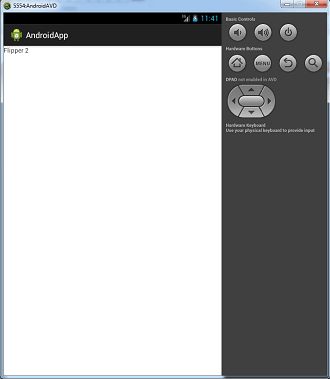
Saving and Retreiving Data with SharedPreferences
package com.jtechies.androidapp;

import android.app.Activity;
import android.content.SharedPreferences;
import android.os.Bundle;
import android.view.View;
import android.view.View.OnClickListener;
import android.widget.Button;
import android.widget.EditText;
import android.widget.TextView;

public class SharedPrefs extends Activity
implements OnClickListener{

	EditText sharedData;
	TextView dataResults;
	public static String filename =
	"MySharedString";
	SharedPreferences someData;


	@Override
	protected void onCreate
		(Bundle savedInstanceState) {
		// TODO Auto-generated method stub
		super.onCreate(savedInstanceState);
		setContentView(R.layout.sharedpreferences);
		setupVariables();
		someData = getSharedPreferences(filename, 0);
	}


	private void setupVariables() {
		// TODO Auto-generated method stub
		Button save = (Button)
		findViewById(R.id.bSave);
		Button load = (Button)
		findViewById(R.id.bLoad);
		sharedData = (EditText)
		findViewById(R.id.etSharedPrefs);
		dataResults = (TextView)
		findViewById(R.id.tvLoadSharedPrefs);
		save.setOnClickListener(this);
		load.setOnClickListener(this);
	}
	public void onClick(View v) {
		// TODO Auto-generated method stub
		switch (v.getId()){
		case R.id.bSave:
			String stringData =
			sharedData.getText().toString();
			SharedPreferences.Editor
			editor = someData.edit();
			editor.putString
			("sharedString", stringData);
			editor.commit();
			break;
		case R.id.bLoad:
			someData =
			getSharedPreferences(filename, 0);
			String dataReturned =
			someData.getString("sharedString",
			"Couldn't Load Data");
			dataResults.setText(dataReturned);
			break;
		}
	}
}
<?xml version="1.0" encoding="utf-8"?>
<LinearLayout xmlns:android=
"http://schemas.android.com/apk/res/android"
    android:layout_width="match_parent"
    android:layout_height="match_parent"
    android:orientation="vertical" >

    <EditText
        android:id="@+id/etSharedPrefs"
        android:layout_width="match_parent"
        android:layout_height="wrap_content" >
    </EditText>

    <Button
        android:id="@+id/bSave"
        android:layout_width="wrap_content"
        android:layout_height="wrap_content"
        android:text="Save" >
    </Button>

    <Button
        android:id="@+id/bLoad"
        android:layout_width="wrap_content"
        android:layout_height="wrap_content"
        android:text="Load" >
    </Button>

    <TextView
        android:id="@+id/tvLoadSharedPrefs"
        android:layout_width="wrap_content"
        android:layout_height="wrap_content"
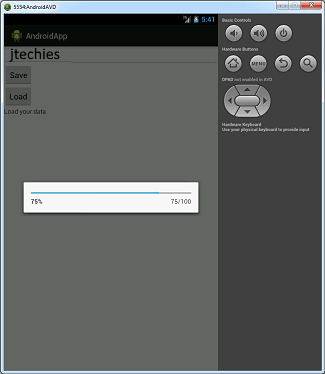
        android:text="Load your data" >
    </TextView>

</LinearLayout>
<?xml version="1.0" encoding="utf-8"?>
<manifest xmlns:android=
"http://schemas.android.com/apk/res/android"
    package="com.jtechies.androidapp"
    android:versionCode="1"
    android:versionName="1.0" >

    <uses-sdk
        android:minSdkVersion="8"
        android:targetSdkVersion="17" />

    <application
        android:allowBackup="true"
        android:icon="@drawable/ic_launcher"
        android:label="@string/app_name"
        android:theme="@style/AppTheme" >

       <activity
            android:name=".SharedPrefs"
            android:label="@string/app_name" >
        </activity>

   </application>

</manifest>
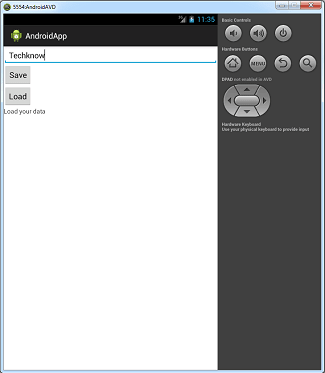
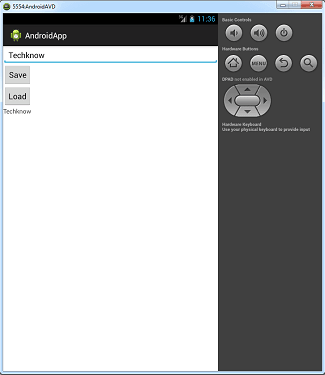
Saving and Retreiving Data with SharedPreferences and Progressbar
package com.jtechies.androidapp;

import java.io.File;
import java.io.FileInputStream;
import java.io.FileNotFoundException;
import java.io.FileOutputStream;
import java.io.IOException;
import android.app.Activity;
import android.app.ProgressDialog;
import android.content.Context;
import android.content.SharedPreferences;
import android.os.AsyncTask;
import android.os.Bundle;
import android.view.View;
import android.view.View.OnClickListener;
import android.widget.Button;
import android.widget.EditText;
import android.widget.TextView;

public class InternalData extends Activity
implements OnClickListener{

	EditText sharedData;
	TextView dataResults;
	FileOutputStream fos;
	String FILENAME = "InternalString";

	@Override
	protected void onCreate
	(Bundle savedInstanceState) {
		// TODO Auto-generated method stub
		super.onCreate(savedInstanceState);
		setContentView(R.layout.sharedpreferences);
		setupVariables();
	}

	private void setupVariables() {
		// TODO Auto-generated method stub
		Button save = (Button)
		findViewById(R.id.bSave);
		Button load = (Button)
		findViewById(R.id.bLoad);
		sharedData = (EditText)
		findViewById(R.id.etSharedPrefs);
		dataResults = (TextView)
		findViewById(R.id.tvLoadSharedPrefs);
		save.setOnClickListener(this);
		load.setOnClickListener(this);
		try {
			fos = openFileOutput
			(FILENAME, Context.MODE_PRIVATE);
			fos.close();
		} catch (FileNotFoundException e) {
			// TODO Auto-generated catch block
			e.printStackTrace();
		} catch (IOException e) {
			// TODO Auto-generated catch block
			e.printStackTrace();
		}
	}

	public void onClick(View v) {
		// TODO Auto-generated method stub
		switch (v.getId()){
		case R.id.bSave:
			String data =
			sharedData.getText().toString();
			// Saving data via File
			/*File f = new File(FILENAME);
			try {
				fos = new
				FileOutputStream(f);
				//write some data
				fos.close();
			} catch (FileNotFoundException e) {
			// TODO Auto-generated catch block
				e.printStackTrace();
			}
			*/
			try {
				fos = openFileOutput
				(FILENAME, Context.MODE_PRIVATE);
				fos.write(data.getBytes());
				fos.close();
			} catch (IOException e) {
			// TODO Auto-generated catch block
				e.printStackTrace();
			}
			break;
		case R.id.bLoad:
			new loadSomeStuff().execute(FILENAME);
			break;
		}
	}
	public class loadSomeStuff extends
	AsyncTask<String, Integer, String>{


		ProgressDialog dialog;

		protected void onPreExecute(){
			//example of setting up something
			dialog = new ProgressDialog
			(InternalData.this);
			dialog.setProgressStyle
			(ProgressDialog.STYLE_HORIZONTAL);
			dialog.setMax(100);
			dialog.show();
		}

		@Override
		protected String doInBackground
		(String... arg0) {
			// TODO Auto-generated method stub
			String collected = null;
			FileInputStream fis = null;

			for(int i=0; i<20; i++){
				publishProgress(5);
				try {
					Thread.sleep(88);
				} catch
				(InterruptedException e) {
				// TODO Auto-generated catch block
					e.printStackTrace();
				}
			}
			dialog.dismiss();

			try {
				fis = openFileInput(FILENAME);
				byte [] dataArray =
				new byte [fis.available()];
				while(fis.read(dataArray) != -1){
					collected =
					 new String(dataArray);
				}
			} catch (FileNotFoundException e) {
			// TODO Auto-generated catch block
				e.printStackTrace();
			} catch (IOException e) {
			// TODO Auto-generated catch block
				e.printStackTrace();
			} finally{
				try {
					fis.close();
					return collected;
				} catch (IOException e) {
				// TODO Auto-generated catch block
					e.printStackTrace();
				}
			}
			return null;
		}

		protected void onProgressUpdate
		(Integer...progress){
			dialog.incrementProgressBy
			(progress[0]);
		}
		protected void onPostExecute
		(String result){
			dataResults.setText(result);
		}
	}
}
<?xml version="1.0" encoding="utf-8"?>
<LinearLayout xmlns:android=
"http://schemas.android.com/apk/res/android"
    android:layout_width="match_parent"
    android:layout_height="match_parent"
    android:orientation="vertical" >

    <EditText
        android:id="@+id/etSharedPrefs"
        android:layout_width="match_parent"
        android:layout_height="wrap_content" >
    </EditText>

    <Button
        android:id="@+id/bSave"
        android:layout_width="wrap_content"
        android:layout_height="wrap_content"
        android:text="Save" >
    </Button>

    <Button
        android:id="@+id/bLoad"
        android:layout_width="wrap_content"
        android:layout_height="wrap_content"
        android:text="Load" >
    </Button>

    <TextView
        android:id="@+id/tvLoadSharedPrefs"
        android:layout_width="wrap_content"
        android:layout_height="wrap_content"
        android:text="Load your data" >
    </TextView>

</LinearLayout>
<?xml version="1.0" encoding="utf-8"?>
<manifest xmlns:android=
"http://schemas.android.com/apk/res/android"
    package="com.jtechies.androidapp"
    android:versionCode="1"
    android:versionName="1.0" >

    <uses-sdk
        android:minSdkVersion="8"
        android:targetSdkVersion="17" />

    <application
        android:allowBackup="true"
        android:icon="@drawable/ic_launcher"
        android:label="@string/app_name"
        android:theme="@style/AppTheme" >

       <activity
            android:name=".InternalData"
            android:label="@string/app_name" >
        </activity>

   </application>

</manifest>
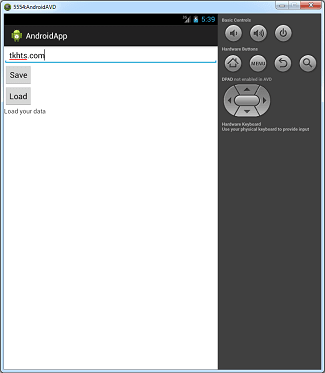
Saving Data Externally in any folder
package com.jtechies.androidapp;

import java.io.File;
import java.io.FileNotFoundException;
import java.io.FileOutputStream;
import java.io.IOException;
import java.io.InputStream;
import java.io.OutputStream;
import android.app.Activity;
import android.media.MediaScannerConnection;
import android.net.Uri;
import android.os.Bundle;
import android.os.Environment;
import android.view.View;
import android.view.View.OnClickListener;
import android.widget.AdapterView;
import android.widget.AdapterView
.OnItemSelectedListener;
import android.widget.ArrayAdapter;
import android.widget.Button;
import android.widget.EditText;
import android.widget.Spinner;
import android.widget.TextView;
import android.widget.Toast;

public class ExternalData extends Activity
implements OnItemSelectedListener,
OnClickListener{

	private TextView canWrite, canRead;
	private String state;
	boolean canW, canR;
	Spinner spinner;
	String[] paths =
	{ "Music", "Pictures", "Download" };
	File path = null;
	File file = null;
	EditText saveFile;
	Button confirm, save;

	@Override
	protected void onCreate
	(Bundle savedInstanceState) {
		// TODO Auto-generated method stub
		super.onCreate(savedInstanceState);
		setContentView
		(R.layout.externaldata);
		canWrite = (TextView)
		findViewById(R.id.tvCanWrite);
		canRead = (TextView)
		findViewById(R.id.tvCanRead);
		confirm = (Button)
		findViewById(R.id.bConfirmSaveAs);
		save = (Button)
		findViewById(R.id.bSaveFile);
		saveFile = (EditText)
		findViewById(R.id.etSaveAs);
		confirm.setOnClickListener(this);
		save.setOnClickListener(this);
		canWrite.setText("false");
		canRead.setText("false");

		checkState();

		ArrayAdapter<String> adapter =
		new ArrayAdapter<String>
		(ExternalData.this,
		android.R.layout
		.simple_spinner_item, paths);
		spinner = (Spinner)
		findViewById(R.id.spinner1);
		spinner.setAdapter(adapter);
		spinner.setOnItemSelectedListener(this);
	}

	private void checkState() {
		// TODO Auto-generated method stub
		state =
		Environment.getExternalStorageState();
		if(state.equals
		(Environment.MEDIA_MOUNTED)){
			//read and write
			canWrite.setText("true");
			canRead.setText("true");
			canW = canR =true;
		}
		else if (state.equals
		(Environment.MEDIA_MOUNTED_READ_ONLY)){
			//read but can't write
			canWrite.setText("false");
			canRead.setText("true");
			canW = false;
			canR = true;
		}
		else{
			canWrite.setText("false");
			canRead.setText("false");
			canW = canR = false;
		}
	}

	@Override
	public void onItemSelected(AdapterView<?>
	arg0, View arg1, int arg2, long arg3) {
		// TODO Auto-generated method stub
		int position =
		spinner.getSelectedItemPosition();
		switch(position){
		case 0:
			path =
			Environment.getExternalStoragePublicDirectory
				(Environment.DIRECTORY_MUSIC);
			break;

		case 1:
			path =
			Environment.getExternalStoragePublicDirectory
				(Environment.DIRECTORY_PICTURES);
			break;

		case 2:
			path =
			Environment.getExternalStoragePublicDirectory
				(Environment.DIRECTORY_DOWNLOADS);
			break;
		}
	}

	@Override
	public void onNothingSelected(AdapterView<?> arg0) {
		// TODO Auto-generated method stub
	}

	@Override
	public void onClick(View arg0) {
		// TODO Auto-generated method stub
		switch(arg0.getId()){
		case R.id.bSaveFile:
			String f = saveFile.getText().toString();
			file = new File(path, f + ".png");

			checkState();
			if(canW == canR == true){
				path.mkdirs();
				try {
					InputStream is =
					getResources().openRawResource
					(R.drawable.greenball);
					OutputStream os = new
					FileOutputStream(file);
					byte[] data =new byte[is.available()];
					is.read(data);
					os.write(data);
					is.close();
					os.close();

					Toast t =
					Toast.makeText(ExternalData.this,
					"File has been Saved",
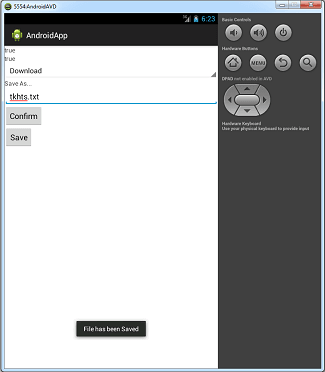
					Toast.LENGTH_LONG);
					t.show();

					//Update files for the user to use
					MediaScannerConnection.scanFile
					(ExternalData.this,
					new String[]
					{file.toString()}, null, new
					MediaScannerConnection
					.OnScanCompletedListener() {

					@Override
					public void onScanCompleted
					(String path, Uri uri) {
					// TODO Auto-generated method stub
					Toast t = Toast.makeText
					(ExternalData.this,
					"scan complete",
					Toast.LENGTH_SHORT);
					t.show();
					}
				});

				} catch (FileNotFoundException e) {
				// TODO Auto-generated catch block
					e.printStackTrace();
				} catch (IOException e) {
				// TODO Auto-generated catch block
					e.printStackTrace();
				}
			}
			break;

		case R.id.bConfirmSaveAs:
			save.setVisibility(View.VISIBLE);
			break;
		}
	}
}
<?xml version="1.0" encoding="utf-8"?>
<LinearLayout xmlns:android=
"http://schemas.android.com/apk/res/android"
    android:layout_width="match_parent"
    android:layout_height="match_parent"
    android:orientation="vertical" >

    <TextView
        android:id="@+id/tvCanWrite"
        android:layout_width="wrap_content"
        android:layout_height="wrap_content"
        android:text="TextView" />

  <TextView
      android:id="@+id/tvCanRead"
      android:layout_width="wrap_content"
      android:layout_height="wrap_content"
      android:text="TextView" />

  <Spinner
      android:id="@+id/spinner1"
      android:layout_width="match_parent"
      android:layout_height="wrap_content" />

  <TextView
      android:id="@+id/textView1"
      android:layout_width="wrap_content"
      android:layout_height="wrap_content"
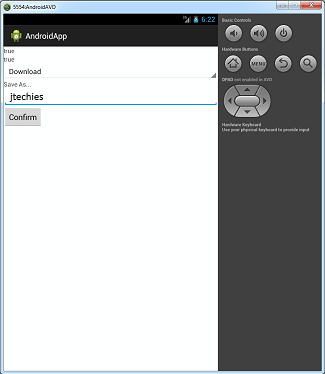
      android:text="Save As..." />
  <EditText
      android:id="@+id/etSaveAs"
      android:layout_width="match_parent"
      android:layout_height="wrap_content"
      >
  </EditText>

<Button
    android:id="@+id/bConfirmSaveAs"
    android:layout_width="wrap_content"
    android:layout_height="wrap_content"
    android:text="Confirm" />

<Button
    android:id="@+id/bSaveFile"
    android:visibility="invisible"
    android:layout_width="wrap_content"
    android:layout_height="wrap_content"
    android:text="Save" />

</LinearLayout>
<?xml version="1.0" encoding="utf-8"?>
<manifest xmlns:android=
"http://schemas.android.com/apk/res/android"
    package="com.jtechies.androidapp"
    android:versionCode="1"
    android:versionName="1.0" >

    <uses-sdk
        android:minSdkVersion="8"
        android:targetSdkVersion="17" />

    <application
        android:allowBackup="true"
        android:icon="@drawable/ic_launcher"
        android:label="@string/app_name"
        android:theme="@style/AppTheme" >

       <activity
            android:name=".ExternalData"
            android:label="@string/app_name" >
        </activity>

   </application>

</manifest>
SQLite DataBase Example [Saving, Updating, Retrieving and Deleting Data]
package com.jtechies.androidapp;


import android.app.Activity;
import android.app.Dialog;
import android.content.Intent;
import android.os.Bundle;
import android.view.View;
import android.view.View.OnClickListener;
import android.widget.Button;
import android.widget.EditText;
import android.widget.TextView;

public class SQLiteExample extends Activity
implements OnClickListener {

	Button sqlUpdate, sqlView, sqlModify,
	sqlGetInfo, sqlDelete;
	EditText sqlName, sqlHotness, sqlRow;

	@Override
	protected void onCreate
	(Bundle savedInstanceState) {
		// TODO Auto-generated method stub
		super.onCreate
		(savedInstanceState);
		setContentView
		(R.layout.sqliteexample);
		sqlUpdate = (Button)
		findViewById(R.id.bSQLUpdate);
		sqlName = (EditText)
		findViewById(R.id.etSQLName);
		sqlHotness = (EditText)
		findViewById(R.id.etSQLHotness);

		sqlView = (Button)
		findViewById(R.id.bSQLopenView);
		sqlView.setOnClickListener(this);
		sqlUpdate.setOnClickListener(this);

		sqlRow = (EditText)
		findViewById(R.id.etSQLrowInfo);
		sqlModify = (Button)
		findViewById(R.id.bSQLmodify);
		sqlGetInfo = (Button)
		findViewById(R.id.bgetInfo);
		sqlDelete = (Button)
		findViewById(R.id.bSQLdelete);
		sqlDelete.setOnClickListener(this);
		sqlModify.setOnClickListener(this);
		sqlGetInfo.setOnClickListener(this);

	}

	public void onClick(View arg0) {
		// TODO Auto-generated method stub

		switch (arg0.getId()) {
		case R.id.bSQLUpdate:

			boolean didItWork = true;
			try {
				String name =
				sqlName.getText().toString();
				String hotness =
				sqlHotness.getText().toString();

				HotOrNot entry =
				new HotOrNot(SQLiteExample.this);
				entry.open();
				entry.createEntry(name, hotness);
				entry.close();

			} catch (Exception e) {
				didItWork = false;
				String error = e.toString();
				Dialog d = new Dialog(this);
				d.setTitle("Dang it!");
				TextView tv =
				new TextView(this);
				tv.setText(error);
				d.setContentView(tv);
				d.show();
			} finally {
				if (didItWork) {
					Dialog d =
					new Dialog(this);
					d.setTitle("Heck Yea!");
					TextView tv =
					new TextView(this);
					tv.setText("Success");
					d.setContentView(tv);
					d.show();
				}
			}

			break;
		case R.id.bSQLopenView:
			Intent i = new Intent
			("com.jtechies.androidapp.SQLVIEW");
			startActivity(i);
			break;
		case R.id.bgetInfo:
			try {
				String s =
				sqlRow.getText().toString();
				long l = Long.parseLong(s);
				HotOrNot hon =
				new HotOrNot(this);
				hon.open();
				String returnedName =
				hon.getName(l);
				String returnedHotness =
				hon.getHotness(l);
				hon.close();

				sqlName.setText(returnedName);
				sqlHotness.setText
				(returnedHotness);
			} catch (Exception e) {

				String error = e.toString();
				Dialog d = new
				Dialog(this);
				d.setTitle("Dang it!");
				TextView tv = new
				TextView(this);
				tv.setText(error);
				d.setContentView(tv);
				d.show();
			}
			break;

		case R.id.bSQLmodify:
			try {
				String mName =
				sqlName.getText().toString();
				String mHotness =
				sqlHotness.getText().toString();
				String sRow =
				sqlRow.getText().toString();
				long lRow =
				Long.parseLong(sRow);

				HotOrNot ex =
				new HotOrNot(this);
				ex.open();
				ex.updateEntry
				(lRow, mName, mHotness);
				ex.close();
			} catch (Exception e) {

				String error = e.toString();
				Dialog d = new
				Dialog(this);
				d.setTitle("Dang it!");
				TextView tv = new
				TextView(this);
				tv.setText(error);
				d.setContentView(tv);
				d.show();
			}
			break;
		case R.id.bSQLdelete:
			try {
				String sRow1 =
				sqlRow.getText().toString();
				long lRow1 =
				Long.parseLong(sRow1);
				HotOrNot ex1 =
				new HotOrNot(this);
				ex1.open();
				ex1.deleteEntry(lRow1);
				ex1.close();
			} catch (Exception e) {

				String error = e.toString();
				Dialog d = new Dialog(this);
				d.setTitle("Dang it!");
				TextView tv =
				new TextView(this);
				tv.setText(error);
				d.setContentView(tv);
				d.show();
			}
			break;
		}
	}
}
<?xml version="1.0" encoding="utf-8"?>
<LinearLayout xmlns:android=
"http://schemas.android.com/apk/res/android"
	android:orientation="vertical"
	android:layout_width="match_parent"
	android:layout_height="match_parent">
	<TextView android:id="@+id/textView1"
	android:text="Name"
		android:layout_width="wrap_content"
		android:layout_height="wrap_content"
		android:textAppearance=
		"?android:attr/textAppearanceSmall">
	</TextView>
	<EditText android:id="@+id/etSQLName"
	android:layout_width="match_parent"
		android:layout_height="wrap_content">
	</EditText>
	<TextView
	android:text="Hotness scale 1 to 10"
	android:id="@+id/textView3"
		android:layout_width="wrap_content"
		android:layout_height="wrap_content">
	</TextView>
	<EditText android:id="@+id/etSQLHotness"
	android:layout_width="match_parent"
		android:layout_height="wrap_content">
	</EditText>
	<Button
	android:text="Update SQLite Database"
	android:id="@+id/bSQLUpdate"
		android:layout_width="wrap_content"
		android:layout_height="wrap_content">
	</Button>
	<Button android:text="View"
	android:id="@+id/bSQLopenView"
		android:layout_width="wrap_content"
		android:layout_height="wrap_content">
	</Button>
	<TextView android:text="Enter Row ID"
	android:id="@+id/textView2"
		android:layout_width="wrap_content"
		android:layout_height="wrap_content">
	</TextView>
	<EditText
	android:layout_width="match_parent"
		android:layout_height="wrap_content"
		android:id="@+id/etSQLrowInfo"
		android:inputType="number">
		<requestFocus></requestFocus>
	</EditText>
	<Button android:text="Get Information"
	android:id="@+id/bgetInfo"
		android:layout_width="wrap_content"
		android:layout_height="wrap_content">
	</Button>
	<Button android:text="Edit Entry"
	android:id="@+id/bSQLmodify"
		android:layout_width="wrap_content"
		android:layout_height="wrap_content">
	</Button>
	<Button android:text="Delete Entry"
	android:id="@+id/bSQLdelete"
		android:layout_width="wrap_content"
		android:layout_height="wrap_content">
	</Button>

</LinearLayout>
<?xml version="1.0" encoding="utf-8"?>
<manifest xmlns:android=
"http://schemas.android.com/apk/res/android"
    package="com.jtechies.androidapp"
    android:versionCode="1"
    android:versionName="1.0" >

    <uses-sdk
        android:minSdkVersion="8"
        android:targetSdkVersion="17" />

    <application
        android:allowBackup="true"
        android:icon="@drawable/ic_launcher"
        android:label="@string/app_name"
        android:theme="@style/AppTheme" >

       <activity
            android:name=".SQLiteExample"
            android:label="@string/app_name" >
        </activity>

   </application>

</manifest>
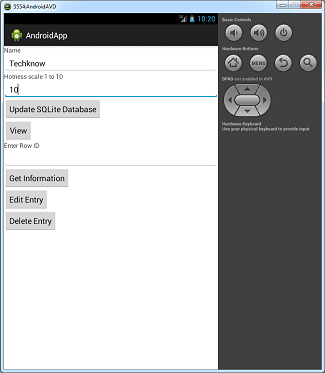
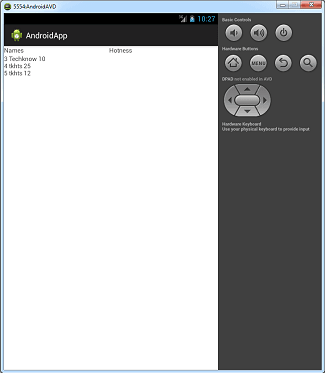
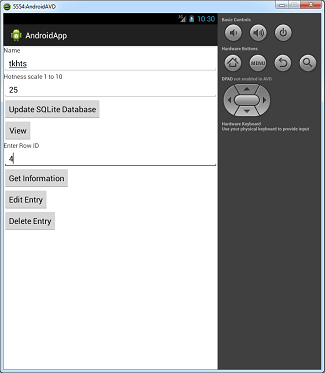
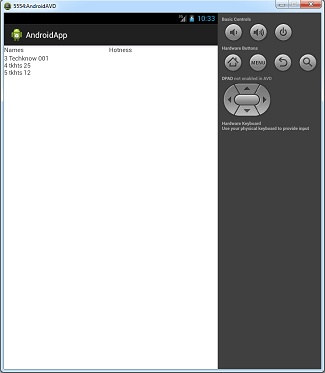
Creating 3D Cube with Rotation
package com.jtechies.androidapp;

import java.nio.ByteBuffer;
import java.nio.ByteOrder;
import java.nio.FloatBuffer;
import java.nio.ShortBuffer;

import javax.microedition
.khronos.opengles.GL10;

public class GLCube{

	private float vertices[] = {
		1, 1, -1, //p0 - topFrontRight
		1, -1, -1, //p1 bottomFront Right
		-1, -1, -1, //p2 bottom front left
		-1, 1, -1, //p3 front top left
		1, 1, 1, //p4 - topBackRight
		1, -1, 1, //p5 bottomBack Right
		-1, -1, 1, //p6 bottom back left
		-1, 1, 1, //p7 front back left
	};

		private FloatBuffer vertBuff;

		private short[] pIndex = {
				3,4,0,  0,4,1,  3,0,1,
				3,7,4,   7,6,4,  7,3,6,
				3,1,2,  1,6,2,  6,3,2,
				1,4,5,  5,6,1,  6,5,4
		};

		private ShortBuffer pBuff;

		public GLCube(){

			ByteBuffer bBuff =
			ByteBuffer.allocateDirect
			(vertices.length * 4);
			bBuff.order
			(ByteOrder.nativeOrder());
			vertBuff = bBuff.asFloatBuffer();
			vertBuff.put(vertices);
			vertBuff.position(0);


			ByteBuffer pbBuff =
			ByteBuffer.allocateDirect
			(pIndex.length * 2);
			pbBuff.order
			(ByteOrder.nativeOrder());
			pBuff =
			pbBuff.asShortBuffer();
			pBuff.put(pIndex);
			pBuff.position(0);
		}

		public void draw(GL10 gl){
			gl.glFrontFace
			(GL10.GL_CW);
			gl.glEnable(GL10.GL_CULL_FACE);
			gl.glCullFace
			(GL10.GL_BACK);
			gl.glEnableClientState
			(GL10.GL_VERTEX_ARRAY);
			gl.glVertexPointer
			(3, GL10.GL_FLOAT, 0, vertBuff);
			gl.glDrawElements
			(GL10.GL_TRIANGLES, pIndex.length,
			GL10.GL_UNSIGNED_SHORT, pBuff);
			gl.glDisableClientState
			(GL10.GL_VERTEX_ARRAY);
			gl.glDisable(GL10.GL_CULL_FACE);
		}
}
package com.jtechies.androidapp;

import android.app.Activity;
import android.opengl.GLSurfaceView;
import android.os.Bundle;

public class GLCubeEx
extends Activity{

	GLSurfaceView ourSurface;

	@Override
	protected void onCreate
	(Bundle savedInstanceState) {
		// TODO Auto-generated method stub
		super.onCreate(savedInstanceState);
		ourSurface =
		new GLSurfaceView(this);
		ourSurface.setRenderer
		(new GLCubeRendererEX());
		setContentView(ourSurface);
	}

	@Override
	protected void onPause() {
	// TODO Auto-generated method stub
		super.onPause();
		ourSurface.onPause();
	}

	@Override
	protected void onResume() {
	// TODO Auto-generated method stub
		super.onResume();
		ourSurface.onResume();
	}

}
package com.jtechies.androidapp;

import javax.microedition
.khronos.egl.EGLConfig;
import javax.microedition
.khronos.opengles.GL10;

import android.opengl.GLU;
import android.opengl.GLSurfaceView.Renderer;
import android.os.SystemClock;

public class GLCubeRendererEX
implements Renderer {

	private GLCube	cube;

	public GLCubeRendererEX(){
		cube = new GLCube();
	}


	public void onSurfaceCreated
	(GL10 gl, EGLConfig eglConfig) {
		// TODO Auto-generated method stub
	gl.glDisable(GL10.GL_DITHER);
	gl.glHint
	(GL10.GL_PERSPECTIVE_CORRECTION_HINT,
	GL10.GL_FASTEST);
	gl.glClearColor(.8f, 0f, .2f, 1f);
	gl.glClearDepthf(1f);

	}

	public void onDrawFrame(GL10 gl) {
		// TODO Auto-generated method stub
		gl.glDisable(GL10.GL_DITHER);
		gl.glClear
		(GL10.GL_COLOR_BUFFER_BIT |
		GL10.GL_DEPTH_BUFFER_BIT);

		gl.glMatrixMode(GL10.GL_MODELVIEW);
		gl.glLoadIdentity();
		GLU.gluLookAt
		(gl, 0, 0, -5, 0, 0, 0, 0, 2, 0);

		long time =
		SystemClock.uptimeMillis() % 4000L;
		float angle = .090f * ((int)time);

		gl.glRotatef(angle, 1, 0, 2);

		cube.draw(gl);
	}

	public void onSurfaceChanged
	(GL10 gl, int width, int height) {
		// TODO Auto-generated method stub
        gl.glViewport(0, 0, width, height);
       float ratio = (float) width/height;
       gl.glMatrixMode(GL10.GL_PROJECTION);
       gl.glLoadIdentity();
       gl.glFrustumf(-ratio, ratio, -1, 1, 1, 25);
	}
}
<?xml version="1.0" encoding="utf-8"?>
<manifest xmlns:android=
"http://schemas.android.com/apk/res/android"
    package="com.jtechies.androidapp"
    android:versionCode="1"
    android:versionName="1.0" >

    <uses-sdk
        android:minSdkVersion="8"
        android:targetSdkVersion="17" />

    <application
        android:allowBackup="true"
        android:icon="@drawable/ic_launcher"
        android:label="@string/app_name"
        android:theme="@style/AppTheme" >

       <activity
            android:name=".GLCubeEx"
            android:label="@string/app_name" >
        </activity>

   </application>

</manifest>
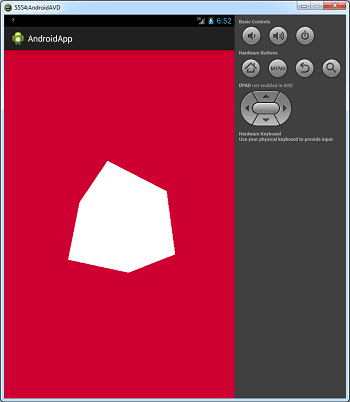
Creating 2D Triangle with color effect
package com.jtechies.androidapp;

import android.app.Activity;
import android.opengl.GLSurfaceView;
import android.os.Bundle;

public class GLExample extends Activity{

	GLSurfaceView ourSurface;

	@Override
	protected void onCreate
	(Bundle savedInstanceState) {
		// TODO Auto-generated method stub
		super.onCreate(savedInstanceState);
		ourSurface = new GLSurfaceView(this);
		ourSurface.setRenderer(new GLRendererEx());
		setContentView(ourSurface);
	}

	@Override
	protected void onPause() {
		// TODO Auto-generated method stub
		super.onPause();
		ourSurface.onPause();
	}

	@Override
	protected void onResume() {
		// TODO Auto-generated method stub
		super.onResume();
		ourSurface.onResume();
	}

}
package com.jtechies.androidapp;

import java.nio.ByteBuffer;
import java.nio.ByteOrder;
import java.nio.FloatBuffer;
import java.nio.ShortBuffer;

import javax.microedition
.khronos.opengles.GL10;

public class GLTriangleEx {

	private float vertices[] = {
		0f, 1.0f,  //p0
		1.0f, -1.0f,  //p1
		-1.0f, -1.0f //p2
	};

	private float rgbaVals[] = {
			1, 1, 0, .5f,
			.25f, 0, .85f, 1,
			0, 1, 1, 1
		};

	private FloatBuffer vertBuff, colorBuff;

	private short[] pIndex = { 0, 1, 2};

	private ShortBuffer pBuff;


	public GLTriangleEx(){

		ByteBuffer bBuff =
		ByteBuffer.allocateDirect
		(vertices.length * 4);
		bBuff.order(ByteOrder.nativeOrder());
		vertBuff = bBuff.asFloatBuffer();
		vertBuff.put(vertices);
		vertBuff.position(0);


		ByteBuffer pbBuff =
		ByteBuffer.allocateDirect
		(pIndex.length * 2);
		pbBuff.order(ByteOrder.nativeOrder());
		pBuff = pbBuff.asShortBuffer();
		pBuff.put(pIndex);
		pBuff.position(0);

		ByteBuffer cBuff =
		ByteBuffer.allocateDirect
		(rgbaVals.length * 4);
		cBuff.order(ByteOrder.nativeOrder());
		colorBuff = cBuff.asFloatBuffer();
		colorBuff.put(rgbaVals);
		colorBuff.position(0);

	}

	public void draw(GL10 gl){
		gl.glFrontFace(GL10.GL_CW);
		gl.glEnableClientState
		(GL10.GL_VERTEX_ARRAY);
		gl.glEnableClientState
		(GL10.GL_COLOR_ARRAY);
		gl.glVertexPointer
		(2, GL10.GL_FLOAT, 0, vertBuff);
		gl.glColorPointer
		(4, GL10.GL_FLOAT, 0, colorBuff);
		gl.glDrawElements(
		GL10.GL_TRIANGLES, pIndex.length,
		 GL10.GL_UNSIGNED_SHORT, pBuff);
		gl.glDisableClientState
		(GL10.GL_COLOR_ARRAY);
		gl.glDisableClientState
		(GL10.GL_VERTEX_ARRAY);
	}
}
package com.jtechies.androidapp;

import javax.microedition
.khronos.egl.EGLConfig;
import javax.microedition
.khronos.opengles.GL10;

import android.opengl
.GLSurfaceView.Renderer;
import android.opengl.GLU;

public class GLRendererEx
implements Renderer{

	private GLTriangleEx tri;

	public GLRendererEx(){
		tri = new GLTriangleEx();
	}

	@Override
	public void onSurfaceCreated
	(GL10 gl, EGLConfig eglConfig) {
		// TODO Auto-generated method stub
		gl.glDisable(GL10.GL_DITHER);
		gl.glHint
		(GL10.GL_PERSPECTIVE_CORRECTION_HINT,
		 GL10.GL_FASTEST);
		gl.glClearColor(.8f, 0f, .2f, 1f);
		gl.glClearDepthf(1f);
	}

	@Override
	public void onDrawFrame(GL10 gl) {
		// TODO Auto-generated method stub
		gl.glDisable(GL10.GL_DITHER);
		gl.glClear
		(GL10.GL_COLOR_BUFFER_BIT |
		GL10.GL_DEPTH_BUFFER_BIT);

		gl.glMatrixMode(GL10.GL_MODELVIEW);
		gl.glLoadIdentity();
		GLU.gluLookAt(gl, 0, 0, -23, 0, 0, 0, 0, 2, 0);
		tri.draw(gl);
	}

	@Override
	public void onSurfaceChanged
	(GL10 gl, int width, int height) {
		// TODO Auto-generated method stub
		gl.glViewport(0, 0, width, height);
		float ratio = (float) width/height;
		gl.glMatrixMode(GL10.GL_PROJECTION);
		gl.glLoadIdentity();
		gl.glFrustumf(-ratio, ratio, -1, 1, 1, 25);
	}
}
<?xml version="1.0" encoding="utf-8"?>
<manifest xmlns:android=
"http://schemas.android.com/apk/res/android"
    package="com.jtechies.androidapp"
    android:versionCode="1"
    android:versionName="1.0" >

    <uses-sdk
        android:minSdkVersion="8"
        android:targetSdkVersion="17" />

    <application
        android:allowBackup="true"
        android:icon="@drawable/ic_launcher"
        android:label="@string/app_name"
        android:theme="@style/AppTheme" >

       <activity
		android:name=".GLExample"
		android:label="@string/app_name" >
        </activity>

   </application>

</manifest>
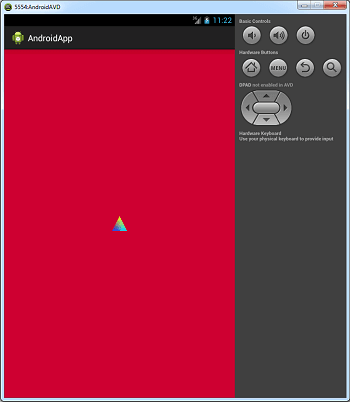
Text to Speech Example
package com.jtechies.androidapp;

import java.util.Locale;
import java.util.Random;

import android.app.Activity;
import android.os.Bundle;
import android.speech.tts.TextToSpeech;
import android.view.View;
import android.view.View.OnClickListener;
import android.widget.Button;

public class TextVoice extends
Activity implements OnClickListener{

	static final String[] texts = {
		"what's up Dear!",
		"hi there", "Hello there buddy!"
	};
	TextToSpeech tts;

	@Override
	protected void onCreate
	(Bundle savedInstanceState) {
		// TODO Auto-generated method stub
		super.onCreate(savedInstanceState);
		setContentView
		(R.layout.textvoice);
		Button b = (Button)
		findViewById(R.id.bTextToVoice);
		b.setOnClickListener(this);
		tts = new TextToSpeech
		(TextVoice.this, new
		TextToSpeech.OnInitListener() {

			@Override
			public void onInit(int status) {
			// TODO Auto-generated method stub
			if(status != TextToSpeech.ERROR){
				tts.setLanguage(Locale.US);
				}
			}
		});
	}

	@Override
	protected void onPause() {
		// TODO Auto-generated method stub
		if(tts!=null){
			tts.stop();
			tts.shutdown();
		}

		super.onPause();
	}

	@Override
	public void onClick(View v) {
		// TODO Auto-generated method stub
		Random r = new Random();
		String random =
		texts[r.nextInt(3)];
		tts.speak(random,
		TextToSpeech.QUEUE_FLUSH, null);
	}

}
<?xml version="1.0" encoding="utf-8"?>
<LinearLayout xmlns:android=
"http://schemas.android.com/apk/res/android"
    android:layout_width="match_parent"
    android:layout_height="match_parent"
    android:orientation="vertical" >

    <Button
        android:id="@+id/bTextToVoice"
        android:layout_width="match_parent"
        android:layout_height="wrap_content"
        android:layout_weight="0.54"
        android:text="Text to Voice" />

</LinearLayout>
<?xml version="1.0" encoding="utf-8"?>
<manifest xmlns:android=
"http://schemas.android.com/apk/res/android"
    package="com.jtechies.androidapp"
    android:versionCode="1"
    android:versionName="1.0" >

    <uses-sdk
        android:minSdkVersion="8"
        android:targetSdkVersion="17" />

    <application
        android:allowBackup="true"
        android:icon="@drawable/ic_launcher"
        android:label="@string/app_name"
        android:theme="@style/AppTheme" >

       <activity
		android:name=".TextVoice"
		android:label="@string/app_name" >
        </activity>

   </application>

</manifest>
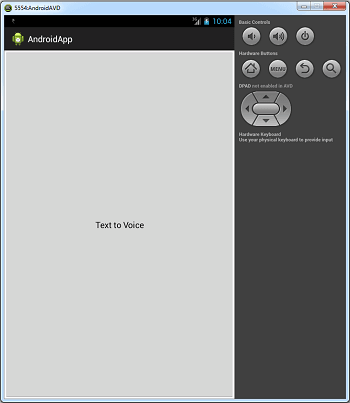
String Autocomplete Example
package com.jtechies.autocompletestring;

import com.jtechies.autocompletestring.R;

import android.os.Bundle;
import android.app.Activity;
import android.util.Log;
import android.view.View;
import android.view
.inputmethod.InputMethodManager;
import android.widget.AdapterView;
import android.widget.ArrayAdapter;
import android.widget.AutoCompleteTextView;
import android.widget.Toast;
import android.widget.AdapterView
.OnItemClickListener;
import android.widget.AdapterView
.OnItemSelectedListener;

public class StringAutoComplete extends
Activity implements  OnItemClickListener,
OnItemSelectedListener  {

	// Initialize variables

	AutoCompleteTextView textView=null;
	private ArrayAdapter adapter;

	//These values show in autocomplete
	String item[]={
			  "January", "February",
			  "March", "April",
			  "May", "June", "July",
			  "August",
			  "September", "October",
			  "November", "December",
			};

	// Called when the activity is first created.
	@Override
	public void onCreate(Bundle bundle) {
		super.onCreate(bundle);
		setContentView
		(R.layout.string_auto_complete);

		// Initialize AutoCompleteTextView values

		// Get AutoCompleteTextView
		// reference from xml
		textView = (AutoCompleteTextView)
		findViewById(R.id.Months);

		//Create adapter
		//adapter = new
		ArrayAdapter
		<String>(this,
		android.R.layout.simple_dropdown_item_1line,
		new ArrayList<String>());

		adapter = new ArrayAdapter
		<String>(this,
		android.R.layout
		.simple_dropdown_item_1line, item);

		textView.setThreshold(1);

	    //Set adapter to AutoCompleteTextView

	    textView.setAdapter(adapter);
	    textView.setOnItemSelectedListener(this);
	    textView.setOnItemClickListener(this);
	}

	@Override
	public void onItemSelected(AdapterView<?>
	 arg0, View arg1, int position, long arg3) {
		// TODO Auto-generated method stub
		//Log.d("AutocompleteContacts",
		"onItemSelected() position " + position);
    }

	@Override
	public void onNothingSelected
	(AdapterView<?> arg0) {
		// TODO Auto-generated method stub

		InputMethodManager imm =
		(InputMethodManager) getSystemService(
			INPUT_METHOD_SERVICE);
			imm.hideSoftInputFromWindow
			(getCurrentFocus().getWindowToken(), 0);
	}

	@Override
	public void onItemClick
	(AdapterView<?>
	arg0, View arg1, int arg2, long arg3) {
		// TODO Auto-generated method stub
		// Show Alert

    	Toast.makeText(getBaseContext(),
    	"Position:"+arg2+"
    	Month:"+arg0.getItemAtPosition(arg2),
    	Toast.LENGTH_LONG).show();

    	Log.d("AutocompleteContacts",
    	"Position:"+arg2+"
    	Month:"+arg0.getItemAtPosition(arg2));
	}

	protected void onResume() {
        super.onResume();
    }

    protected void onDestroy() {
        super.onDestroy();
    }

}
<?xml version="1.0" encoding="utf-8"?>
<TableLayout xmlns:android=
"http://schemas.android.com/apk/res/android"
    android:layout_width="fill_parent"
    android:layout_height="fill_parent"
    android:background="#000000" >

<TableRow>
	<TextView
	    android:layout_width="wrap_content"
        android:layout_height="wrap_content"
		android:textSize="20px"
		android:text=
		"Write month name it will show
		month in auto complete"
		android:textColor="#ffffff"
		android:layout_marginLeft="10dip">
	</TextView>
</TableRow>
<TableRow>

	<AutoCompleteTextView
	    android:id="@+id/Months"
	    android:layout_width="fill_parent"
	    android:layout_height="wrap_content"
	    android:layout_marginLeft="10dip"
	    android:layout_marginRight="10dip"
	    android:textStyle="bold"
	    android:width="250dip" />

</TableRow>


</TableLayout>
<?xml version="1.0" encoding="utf-8"?>
<manifest xmlns:android=
"http://schemas.android.com/apk/res/android"
    package="com.jtechies.autocompletestring"
    android:versionCode="1"
    android:versionName="1.0" >

    <uses-sdk
        android:minSdkVersion="8"
        android:targetSdkVersion="8" />

    <application
        android:allowBackup="true"
        android:icon=
        "@drawable/ic_launcher"
        android:label="@string/app_name"
        android:theme=
        "@style/Theme.Light
        .NoTitleBar.Workaround">
        <activity
            android:name=
            "com.jtechies.autocompletestring
            .StringAutoComplete"
            android:label="@string/app_name" >
            <intent-filter>
                <action android:name=
                "android.intent.action.MAIN" />

                <category android:name=
                "android.intent.category.LAUNCHER" />
            </intent-filter>
        </activity>
    </application>
</manifest>
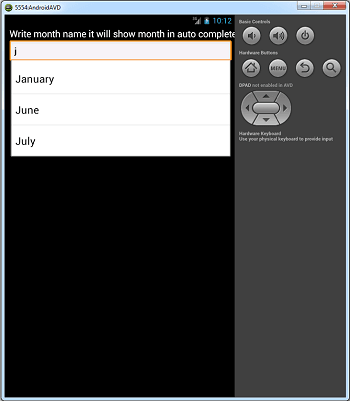
Complete Call Log Example
package com.jtechies.calllog;

public  class UserData {

    //private variables
    int _id;
    String _name;
    String _phone;
    String _imei;
    String _date;
    String _type;
    String _duration;

      // Empty constructor
      public UserData(){

       }

   // constructor
   public UserData
   (int id, String name,
   String phone, String imei,
   String type, String duration){
       this._id = id;
       this._name = name;
       this._phone = phone;
       this._imei = imei;

       this._type = type;
       this._duration = duration;
   }


   // getting ID
   public int getID(){
       return this._id;
   }

   // setting id
   public void setID(int id){
       this._id = id;
   }

   // getting name
   public String getName(){
       return this._name;
   }

   // setting name
   public void setName(String name){
       this._name = name;
   }

   // getting email
   public String getPhone(){
       return this._phone;
   }

   // setting email
   public void setPhone(String phone){
       this._phone = phone;
   }

// getting imei
   public String getimei(){
       return this._imei;
   }

   // setting imei
   public void setimei(String imei){
       this._imei = imei;
   }

// getting imei
   public String getDate(){
       return this._date;
   }

   // setting imei
   public void setDate(String date){
       this._date = date;
   }


   public String getType(){
       return this._type;
   }

   // setting imei
   public void setType(String type){
       this._type = type;
   }

   public String getDuration(){
       return this._duration;
   }

   // setting imei
   public void setDuration(String duration){
       this._duration = duration;
   }

   @Override
   public String toString() {
       return "UserInfo [name=" + _name
       + ", email=" + _phone + "]";
   }
}
package com.jtechies.calllog;

public class VariableValues {

	public static int Search = 1;
	public static String IMEI = null;
	public static String type = "";
	public static String PhoneNumber = "";
}
package com.jtechies.calllog;

import java.io.BufferedReader;
import java.io.InputStreamReader;
import java.io.OutputStreamWriter;
import java.io
.UnsupportedEncodingException;
import java.net.URL;
import java.net.URLConnection;
import java.net.URLEncoder;
import java.util.List;
import org.apache.http
.client.HttpClient;
import org.apache.http
.impl.client.DefaultHttpClient;
import org.json.JSONArray;
import org.json.JSONException;
import org.json.JSONObject;

import com.jtechies.calllog.R;

import android.app.Activity;
import android.app.ProgressDialog;
import android.content.Context;
import android.content.Intent;
import android.os.AsyncTask;
import android.os.Bundle;
import android.telephony.TelephonyManager;
import android.util.Log;
import android.view.View;
import android.view.View.OnClickListener;
import android.widget.Button;
import android.widget.TextView;

public class CallDetailServer
extends Activity {

   ///public static int search = 0;

    /** Called when the activity
    is first created. */
    @Override
    public void onCreate
    (Bundle savedInstanceState) {

        super.onCreate(savedInstanceState);
        setContentView
        (R.layout.asyncronoustask_android_example);

        final Button GetServerData =
        (Button) findViewById(R.id.GetServerData);
        TextView heading = (TextView)
        findViewById(R.id.heading);
        try{
		    Bundle b = getIntent().getExtras();
		    VariableValues.Search   =
		    b.getInt("mPosition",1);

	      }
		catch(Exception e)
		 {
		   Log.i("Jobs","Get Values :
		    "+e.toString());
	     }
        if(VariableValues.Search==1)
		  heading.setText("Today Data...");
        else if(VariableValues.Search==2)
        	heading.setText("One Week Data...");
        else if(VariableValues.Search==3)
        	heading.setText("One Month Data...");

        // Server Request URL
        String serverURL =
        "http://droidindia.com/calllog.php";

        //String serverURL =
        "http://droidindia.com/calllogserver.php";

        // Create Object and
        // call AsyncTask execute Method
        new LongOperation()
        .execute(serverURL);

        GetServerData.setOnClickListener
        (new OnClickListener() {

			@Override
			public void onClick(View arg0) {
				// TODO Auto-generated method stub

				//Log.i
				("test", "----"+mPosition);
			   	 Intent i=new Intent
			   	 (getBaseContext(),CallList.class);
			        i.addFlags
			        (Intent.FLAG_ACTIVITY_CLEAR_TOP);
			        startActivity(i);
			}
        });

    }

    // Class with extends AsyncTask class
    private class LongOperation  extends
    AsyncTask<String, Void, Void> {

        private final HttpClient Client =
        new DefaultHttpClient();
        private String Content;
        private String Error = null;
        private ProgressDialog Dialog =
        new ProgressDialog(CallDetailServer.this);
        String data ="";
        TextView uiUpdate = (TextView)
        findViewById(R.id.output);
        int sizeData = 0;

        protected void onPreExecute() {
           // NOTE: You can call UI Element here.

            //UI Element
           // uiUpdate.setText("Output : ");
            Dialog.setMessage("Please wait..");
            Dialog.show();


            try {

            	if(VariableValues.IMEI == null){

					TelephonyManager tmgr =
					(TelephonyManager)
					getSystemService
					(Context.TELEPHONY_SERVICE);

			//if(VariableValues.IMEI.equals(""))
				  VariableValues.IMEI =
				  tmgr.getDeviceId();
            	}

	            final List sched =
	            DBAdapter.getAllUserData();
	            //Log.i
	            //("size=", "size-----"+sched.size());
	            sizeData = sched.size();
	            data +="&" + URLEncoder.encode
	            ("data", "UTF-8") + "=";
	            data += URLEncoder.encode
	            (""+sizeData, "UTF-8")+ "|"
	            	+VariableValues.IMEI+"|";
	            data += URLEncoder.encode
	            (""+VariableValues.Search, "UTF-8");

			if(sizeData>0){

				for (UserData Schedule : sched) {

				data += "|";

				data +=   URLEncoder.encode
				(Schedule._imei, "UTF-8")+"^";

				data += URLEncoder.encode
				(Schedule._name, "UTF-8")+"^";

				data += URLEncoder.encode
				(Schedule._phone, "UTF-8")+"^";

				data += URLEncoder.encode
				(Schedule._date, "UTF-8")+"^";

				data += URLEncoder.encode
				(Schedule._type, "UTF-8")+"^";

				data += URLEncoder.encode
				(Schedule._duration, "UTF-8");

				//Log.i("tag", data);
				}
			}

            } catch
            (UnsupportedEncodingException e) {
			// TODO Auto-generated catch block
			e.printStackTrace();
			}
	}

    // Call after onPreExecute method
    protected Void doInBackground
    (String... urls) {

    	 // String text = "";
          BufferedReader reader=null;

          // Send data
         try
         {

         // Defined URL  where to send data
		URL url = new URL(urls[0]);

		// Send POST data request

		URLConnection conn =
		url.openConnection();
		conn.setDoOutput(true);
		OutputStreamWriter wr = new
		OutputStreamWriter(conn.getOutputStream());
		wr.write( data );
		wr.flush();

		// Get the server response

         reader = new BufferedReader
         (new InputStreamReader
         	(conn.getInputStream()));
         StringBuilder sb = new StringBuilder();
         String line = null;

         // Read Server Response
         while((line =
         reader.readLine()) != null)
             {
                    // Append server
                    // response in string
                    sb.append(line + "\n");
             }

		Content = sb.toString();
        }
        catch(Exception ex)
        {
        	Error = ex.getMessage();
        }
        finally
        {
	        try
	        {
	        	reader.close();
			}
	        catch(Exception ex) {}
		}
		return null;
	}

        protected void onPostExecute
        (Void unused) {
           // NOTE: You can call UI Element here.

           // Close progress dialog
            Dialog.dismiss();

            if (Error != null) {

                uiUpdate.setText
                ("Output : "+Error);

            } else {

            	String OutputData = "";
                JSONObject jsonResponse;

                try {

                /****** Creates a new JSONObject
                with name/value mappings
                from the JSON string. ********/
               jsonResponse =
               new JSONObject(Content);

               /***** Returns the value
               mapped by name if it
               exists and is a JSONArray. ***/
              /*******  Returns null otherwise.
               *******/
               JSONArray jsonMainNode =
               jsonResponse.optJSONArray
               ("Android");

             /*********** Process each JSON Node
             ************/

                     int lengthJsonArr =
                     jsonMainNode.length();

                     for(int i=0; i <
                     lengthJsonArr; i++)
                     {
                       /****** Get Object for
                       each JSON node.***********/
                       JSONObject jsonChildNode
                       = jsonMainNode.getJSONObject(i);

                       /******* Fetch node
                       values **********/
                       String name       =
                       jsonChildNode.optString
                       ("name").toString();
                       String number     =
                       jsonChildNode.optString
                       ("number").toString();
                       String date_added =
                       jsonChildNode.optString
                       ("date_added").toString();
                       String type       =
                       jsonChildNode.optString
                       ("type").toString();
                       String duration   =
                       jsonChildNode.optString
                       ("duration").toString();

                        if(number.equals
                        ("000000")){
                        	OutputData +=
                        	" Calls Not Found. "
                            +"\n\n-------------
                            -------------------
                            ------------------\n";
                        }
                        else{
                        	String typeValue =
                        	"Incomming";
                        	if(type.equals("2"))
                        		typeValue =
                        		"Outgoing";

                         OutputData += " Name :
                         "+ name +" \n "
                                     + "Number :
                                     "+ number +" \n "
                                     + "Time : "+
                                     date_added +" \n "
                                     + "Type : "+
                                     typeValue +" \n "
                                     + "Duration :
                                     "+ duration +" \n "
								+"---------------------
								----------------------
								-------\n";
                        }
                         //Log.i("JSON parse",
                         song_name);
                    }

                     /************ Show Output
                     on screen/activity **********/

                     uiUpdate.setText
                     ( OutputData );

                 } catch (JSONException e) {

                     e.printStackTrace();
                 }

                //uiUpdate.setText("Output :
                "+Content);
                DBAdapter.deleteAllUserData();

             }
        }

    }
}
package com.jtechies.calllog;

import android.content
.BroadcastReceiver;
import android.content.Context;
import android.content.Intent;
import android.telephony
.TelephonyManager;
import android.util.Log;


public class CallDurationReceiver
extends BroadcastReceiver {
	static boolean flag =false;
	static long start_time,end_time;
	@Override
	    public void onReceive
	    (Context arg0, Intent intent) {

		final Controller aController =
		(Controller) arg0.getApplicationContext();
		String action = intent.getAction();
	    if(action.equalsIgnoreCase
	    ("android.intent.action.PHONE_STATE")){

	    	//Log.i("CallDuration",
	    	"call satate : "
				+intent.getStringExtra
				(TelephonyManager.EXTRA_STATE));

			if (intent.getStringExtra
			(TelephonyManager.EXTRA_STATE).equals
				(TelephonyManager
				.EXTRA_STATE_OFFHOOK)) {
				aController.setstart_time
				(System.currentTimeMillis());
	            Log.i("CallDuration",
	            "---CallDuration start--"
	            +aController.getstart_time());
			}
	        if (intent.getStringExtra
	        (TelephonyManager.EXTRA_STATE).equals
	        	(TelephonyManager
	        	.EXTRA_STATE_IDLE)) {
	            end_time=System
	            .currentTimeMillis();
	 			//Total time talked
	            long total_time =
	            end_time-aController
	            .getstart_time();
	            //Store total_time somewhere
	             or pass it to an Activity
	             using intent

	            Log.i("CallDuration",
	            "---CallDuration end--"
	            +end_time+
	            	"--Total--"+total_time);

				int seconds = (int)
				(total_time / 1000) % 60 ;
	            int minutes = (int)
	            ((total_time / (1000*60)) % 60);
	            int hours   = (int)
	            ((total_time / (1000*60*60)) % 24);
	            String duration = "";
	            if(hours>0)

	            	duration += hours+":";
	                //duration += minutes+":";

	                if(minutes < 10)
	                	duration += "0"+minutes+":";
	                else
	                	duration += ""+minutes+":";

	                if(seconds < 10)
	                	duration += "0"+seconds;
	                else
	                	duration += ""+seconds;

	                Log.i("CallDuration", hours+":
	                "+minutes+":"+seconds+" PhoneNumber:"
	                +aController.getPhoneNumber()+
	                " type:"+aController.gettype());

	                TelephonyManager tmgr =
	                (TelephonyManager)
	                	arg0.getSystemService
	                	(Context.TELEPHONY_SERVICE);

	                String IMEI = tmgr.getDeviceId();
	                UserData uData =
	                new UserData(1,"New",""
	                	+aController.getPhoneNumber(),
					IMEI,aController.gettype(),duration);
					DBAdapter.addUserData(uData);
				}
			}
	}
}
package com.jtechies.calllog;
import java.io.IOException;
import java.io
.UnsupportedEncodingException;
import java.util.ArrayList;
import java.util.concurrent
.atomic.AtomicBoolean;
import javax.xml.parsers
.ParserConfigurationException;
import org.xml.sax.SAXException;
import com.jtechies.calllog.R;
import android.app.Activity;
import android.content.Intent;
import android.content.res.Resources;
import android.net.ConnectivityManager;
import android.os.Bundle;
import android.util.Log;
import android.widget.ListView;
public class CallList
extends Activity {
ListView list;
CallListData adapter;
AtomicBoolean isRunning =
new AtomicBoolean(false);
public static String urlData = "";
public static ArrayList<
CallListValues> SheduleValuesArr
= new ArrayList
<CallListValues>();
public static CallList
SheduleActivity = null;
public static CallList
SheduleInstance = null;
Resources res=null;
@Override
public void onCreate
(Bundle savedInstanceState) {
DBAdapter.init(this);
super.onCreate
(savedInstanceState);
SheduleActivity = this;
SheduleInstance=this;
setContentView
(R.layout.shedules);
refreshJobs();
/*******************
WEEKLY DATA**********************/
// Inserting Contacts
Log.d("Insert: ",
"Inserting ..");
//DBAdapter.addUserData
(new UserData("Ravi", "9100000000"));
}
public void onStopThread() {
isRunning.set(false);
Log.i("Activation", "stop");
}
@Override
public void onDestroy()
{
//adapter.imageLoader.stopThread();
try{
if(list!=null)
list.setAdapter(null);
}catch(Exception e){}
super.onDestroy();
}
/*
public OnClickListener
listener=new OnClickListener(){
@Override
public void onClick(View arg0) {
Intent i=new Intent
(getBaseContext(),Outbox.class);
startActivity(i);
finish();
}
};*/
public void onItemClick
(int mPosition,int type)
{
CallListValues tempValues=null;
tempValues = (CallListValues)
SheduleValuesArr.get(mPosition);
mPosition = mPosition + 1;
//Log.i("test", "----"+mPosition);
Intent i=new Intent
(getBaseContext(),CallDetailServer.class);
i.addFlags
(Intent.FLAG_ACTIVITY_CLEAR_TOP);
Bundle b = new Bundle();
b.putInt
("mPosition", mPosition);
i.putExtras(b);
startActivity(i);
}
public void refreshJobs()
{
try{
SheduleValuesArr.clear();
CallListValues values =
new CallListValues();
values.setPid(1);
values.setPhoneText
("Today Call Log Details");
SheduleValuesArr.add(values);
CallListValues values1 =
new CallListValues();
values1.setPid(2);
values1.setPhoneText
("Last 7 Days Call Log Details");
SheduleValuesArr.add(values1);
CallListValues values2 =
new CallListValues();
values2.setPid(3);
values2.setPhoneText
("One Month Call Log Details");
SheduleValuesArr.add(values2);
Log.i("Jobs","=== :
"+SheduleValuesArr.size());
//if(InboxValuesArr.size()>0)
{
res =getResources();
list=(ListView)findViewById
(R.id.list);
adapter=new CallListData
(SheduleActivity, SheduleValuesArr,res);
list.setAdapter(adapter);
}
}catch(Exception e){
Log.e("Animation", "Exception : "+e);
}
}
public void parseServerJobs
(final String response, String UserNameValue,
String PasswordValue)
throws ParserConfigurationException,
SAXException, IOException{
}
public final boolean isInternetOn() {
ConnectivityManager connec =
(ConnectivityManager)getSystemService
(getBaseContext().CONNECTIVITY_SERVICE);
// ARE WE CONNECTED TO THE NET
if(connec.getNetworkInfo(0).getState()
== android.net.NetworkInfo.State.CONNECTED
|| connec.getNetworkInfo(1).getState()
== android.net.NetworkInfo.State.CONNECTED)
{
// MESSAGE TO SCREEN FOR TESTING (IF REQ)
//Toast.makeText(this, " connected ",
Toast.LENGTH_SHORT).show();
//connec.getNetworkInfo(0).getState() ==
android.net.NetworkInfo.State.CONNECTING ||
//connec.getNetworkInfo(1).getState() ==
android.net.NetworkInfo.State.CONNECTING ||
return true;
}
else if
(connec.getNetworkInfo(0).getState() ==
android.net.NetworkInfo
.State.DISCONNECTED ||
connec.getNetworkInfo(1)
.getState() ==
android.net.NetworkInfo
.State.DISCONNECTED ) {
//System.out.println(“Not Connectedâ€Â);
//Toast.makeText(this, "
Not connected ", Toast.LENGTH_SHORT).show();
return false;
}
return false;
}
public void GetText
(String urlValue,String UserNameValue,
String PasswordValue)
throws UnsupportedEncodingException
{
}
}
package com.jtechies.calllog;

import java.util.ArrayList;

import com.jtechies.calllog.R;

import android.app.Activity;
import android.content.Context;
import android.content.res.Resources;
import android.util.Log;
import android.view.LayoutInflater;
import android.view.View;
import android.view.ViewGroup;
import android.view.View.OnClickListener;
import android.widget.BaseAdapter;
import android.widget.ImageView;
import android.widget.TextView;

public class CallListData
extends BaseAdapter   implements OnClickListener {

    private Activity activity;
    private ArrayList data;
    private static LayoutInflater
    inflater=null;
    public Resources res;
    CallListValues tempValues=null;
    int i=0;
    public static int type = 1;
    public CallListData(Activity a,
    ArrayList d,Resources resLocal) {
        activity = a;
        data=d;
        res = resLocal;
        inflater = (LayoutInflater)
        activity.getSystemService
        	(Context.LAYOUT_INFLATER_SERVICE);
        //imageLoader=new ImageLoader
        (activity.getApplicationContext());
    }

    public int getCount() {
    	if(data.size()<=0)
    		return 1;
        return data.size();
    }

    public Object getItem(int position) {
        return position;
    }

    public long getItemId(int position) {
        return position;
    }

    public static class ViewHolder{
        public TextView text;
        public TextView textWide;
        public ImageView image;

    }

    public View getView(int position,
    View convertView, ViewGroup parent) {
        View vi=convertView;
        ViewHolder holder;
        if(convertView==null){
            vi = inflater.inflate
            (R.layout.tabitem, null);
            holder=new ViewHolder();
            holder.text=(TextView)
            vi.findViewById(R.id.text);
            holder.textWide=(TextView)
            vi.findViewById(R.id.textWide);

            vi.setTag(holder);
        }
        else
            holder=(ViewHolder)vi.getTag();
        if(data.size()<=0)
        {
        	holder.text.setText("No Data");
            //holder.text1.setText("No Data");
        }
        else
        {
        tempValues=null;
        tempValues = (CallListValues)
        data.get(position);

        //Log.i("===", position+"---"
        +tempValues.getImageName());
        /*
        holder.text.setText(tempValues
        .getScreenName());
        holder.text1.setText(tempValues
        .getFromPhone());
        holder.image.setTag(tempValues
        .getURL());
        */
        holder.text.setText(tempValues
        .getPhoneText());
        //holder.text1.setText("bbbbb");
        //holder.image.setTag("ada");
        //Bitmap mBitmap = BitmapFactory
        .decodeResource(res, res.getIdentifier
        	("com.fedorvlasov.lazylist:
        	drawable/"+data[position],null,null));
        //holder.image.setImageBitmap(mBitmap);

        //holder.image.setImageResource
        (res.getIdentifier("com.floatster
        .android:drawable/"
        +tempValues.getImageName()+"
        _bbl_list_"+tempValues
        .getBubbleColorCode(),null,null));

        //holder.image.setImageResource
        (res.getIdentifier("com.floatster
        .android:drawable/"
        	+tempValues.getImageName()
        	,null,null));

        vi.setOnClickListener(new
        OnItemClickListener(position,
        tempValues.getPid()));
        }
        return vi;
    }

    @Override
    public void onClick(View v) {
            Log.v("Animation",
            "=====Row button clicked");
    }

    private class OnItemClickListener
    implements OnClickListener{
        private int mPosition;
        private int typeL;

        OnItemClickListener
        (int position,int type){
        	//super(context);
                mPosition = position;
                typeL = type;

        }
        @Override
        public void onClick(View arg0) {
                //Log.v("Animation",
                "onItemClick at position" + mPosition);

        	CallList.SheduleActivity
        	.onItemClick(mPosition,typeL);
        }
    }

    private class OnLongClickListener
    implements OnClickListener{
        private int mPosition;

        OnLongClickListener(int position){
        	//super(context);
                mPosition = position;

        }
        @Override
        public void onClick(View arg0) {
                //Log.v("Animation",
                "onItemClick at position" + mPosition);

        	//Shedule.SheduleActivity
        	.onItemClick(mPosition);
        }
    }
}
package com.jtechies.calllog;

public class CallListValues {
	private  int Pid=0;
	private  String PhoneText="";


	public void setPid(int Pid)
	{
		this.Pid = Pid;
	}
	public void
	setPhoneText(String PhoneText)
	{
		this.PhoneText = PhoneText;
	}

	public int getPid()
	{
		return this.Pid;
	}

	public String getPhoneText()
	{
		return this.PhoneText;
	}
}
package com.jtechies.calllog;

import android.app.Application;

public class Controller
extends Application {

	private final String TAG = "PGC";
	// PhoneGuardController

	public  String IMEI = "";
	public  String type = "";
	public  String PhoneNumber = "";
	public long start_time=0;

	public String getIMEI() {
		return IMEI;
	}

	public void setIMEI(String IMEI) {
		 this.IMEI = IMEI;
	}

	public String gettype() {
		return type;
	}

	public void settype(String type) {
		 this.type = type;
	}

	public String getPhoneNumber() {
		return PhoneNumber;
	}

	public void setPhoneNumber
	(String PhoneNumber) {
		 this.PhoneNumber =
		 PhoneNumber;
	}

	public long getstart_time() {
		return start_time;
	}

	public void
	setstart_time(long start_time) {
		 this.start_time = start_time;
	}
}
package com.jtechies.calllog;


import java.text.SimpleDateFormat;
import java.util.ArrayList;
import java.util.Calendar;
import java.util.List;
import android.content
.ContentValues;
import android.content
.Context;
import android.database
.Cursor;
import android.database
.DatabaseUtils;
import android.database
.SQLException;
import android.database
.sqlite.SQLiteDatabase;
import android.database
.sqlite.SQLiteOpenHelper;
import android.util.Log;

public class DBAdapter {

    /******* if debug is set true
    then it will show all
     Logcat message ***/
    public static final boolean
    DEBUG = true;

    /********** Logcat TAG
     ************/
    public static final String
    LOG_TAG = "DBAdapter";

    /************ Table Fields
     ************/
    public static final String
    KEY_ID = "_id";

    public static final String
    KEY_IMEI = "imei";
    public static final String
    KEY_NAME = "name";

    public static final String
    KEY_PHONE = "pnumber";
    public static final String
    KEY_DATE = "date_added";

    public static final String
    KEY_TYPE = "type";
    public static final String
    KEY_DURATION  = "duration";

    /************* Database Name
     ************/
    public static final String
    DATABASE_NAME = "DB_sqllite";

    /**** Database Version
    (Increase one if want to also
    upgrade your database) ****/
    public static final int
DATABASE_VERSION = 1;// started at 1

    /** Table names */
    public static final String
    USER_TABLE = "tbl_user";

    /**** Set all table with comma
    seperated like USER_TABLE,ABC_TABLE
    ******/
    private static final String[ ]
    ALL_TABLES = { USER_TABLE };

    /** Create table syntax */

    private static final String
    USER_CREATE = "create table tbl_user
    ( _id integer
    primary key autoincrement,imei text
    not null,name text not null,pnumber
    text not null,date_added text not
    null,type text not null,
    duration text not null);";

    /********* Used to open database
    in syncronized way *********/
    private static DataBaseHelper
    DBHelper = null;

    protected DBAdapter() {

    }

    /********** Initialize database
    *********/
    public static void init
    (Context context) {
        if (DBHelper == null) {
            if (DEBUG)
                Log.i("DBAdapter",
                context.toString());
            DBHelper = new
            DataBaseHelper(context);
        }
    }

  /********** Main Database creation
  INNER class ********/
    private static class DataBaseHelper
    extends SQLiteOpenHelper {
        public DataBaseHelper
        (Context context) {
            super(context, DATABASE_NAME,
            null, DATABASE_VERSION);
        }

        @Override
        public void onCreate
        (SQLiteDatabase db) {
            if (DEBUG)
                Log.i(LOG_TAG,
                "new create");
            try {
                db.execSQL
                (USER_CREATE);

            } catch (Exception exception) {
                if (DEBUG)
                    Log.i(LOG_TAG,
                    "Exception onCreate() exception");
            }
        }

        @Override
        public void onUpgrade
        (SQLiteDatabase db, int oldVersion,
        int newVersion) {
            if (DEBUG)
                Log.w(LOG_TAG,
                "Upgrading database
                from version" + oldVersion
                        + "to" +
                        newVersion + "...");

            for (String table :
            ALL_TABLES) {
                db.execSQL("DROP
                TABLE IF EXISTS " + table);
            }
            onCreate(db);
        }

    } // Inner class closed


    /***** Open database for insert,
    update,delete in syncronized manner ****/
    private static synchronized
    SQLiteDatabase open() throws SQLException {
        return DBHelper.getWritableDatabase();
    }


    /************* General function
    s*************/


    /*********** Escape string for
    single quotes (Insert,Update) ********/
    private static String
    sqlEscapeString(String aString) {
        String aReturn = "";

        if (null != aString) {
            //aReturn = aString.replace(", );
            aReturn = DatabaseUtils
            .sqlEscapeString(aString);
            // Remove the enclosing
            single quotes ...
            aReturn = aReturn
            .substring(1, aReturn.length() - 1);
        }

        return aReturn;
    }

    /********** UnEscape string for
    single quotes (show data) ************/
    private static String
    sqlUnEscapeString(String aString) {

        String aReturn = "";

        if (null != aString) {
            aReturn = aString.replace("\'", "");
        }

        return aReturn;
    }

   /********* User data functons
    *********/

  public static void addUserData
  (UserData uData) {

        // Open database for Read / Write


	  Calendar currentDate =
	  Calendar.getInstance();
	  SimpleDateFormat formatter=
	  new SimpleDateFormat
	  ("yyyy-MM-dd hh:mm:ss");
	  String dateNow =
	  formatter.format
	  (currentDate.getTime());

 		final SQLiteDatabase db =
 		open();
        String name =
        sqlEscapeString(uData.getName());
        String email =
        sqlEscapeString(uData.getPhone());
        String imei =
        sqlEscapeString(uData.getimei());

        String type =
        sqlEscapeString(uData.getType());
        String duration =
        sqlEscapeString(uData.getDuration());

        ContentValues cVal =
        new ContentValues();
        cVal.put
        (KEY_IMEI, imei);
        cVal.put
        (KEY_NAME, name);
        cVal.put
        (KEY_PHONE, email);
        cVal.put
        (KEY_DATE, " "+dateNow);
        cVal.put
        (KEY_TYPE, type);
        cVal.put
        (KEY_DURATION, duration);


        // Insert user values in database
        db.insert(USER_TABLE, null, cVal);
        db.close();
        // Closing database connection
    }


   // Updating single data
   public static int
   updateUserData(int id,String duration) {

        final SQLiteDatabase db = open();

        ContentValues values =
        new ContentValues();
         values.put
         (KEY_DURATION, duration);


        // updating row
        return db.update
        (USER_TABLE, values, KEY_ID + " = ?",
                new String[]
                { String.valueOf(id) });
    }

    // Getting single contact
   public static UserData
   getUserData(int id) {

       // Open database for Read Write
        final SQLiteDatabase db = open();

        Cursor cursor = db.query
        (USER_TABLE, new String[]
        { KEY_ID, KEY_NAME,
        	KEY_PHONE, KEY_TYPE,
        	KEY_DURATION }, KEY_ID +
        	"=?", new String[]
        	{ String.valueOf(id) },
        	null, null, null, null);

        if (cursor != null)
            cursor.moveToFirst();

        UserData data = new UserData
        (Integer.parseInt
        (cursor.getString(0)),
        	cursor.getString(1),
        	cursor.getString(2),
        	cursor.getString(3),
        	cursor.getString(4),
        	cursor.getString(5));

        // return user data
        return data;
    }

      // Getting All User data
    public static List<UserData>
     getAllUserData() {


        // Open database for Read Write
        final SQLiteDatabase db = open();

        List<UserData> contactList =
        new ArrayList<UserData>();
        // Select All Query
        String selectQuery = "SELECT
        * FROM " + USER_TABLE;

        Cursor cursor = db.rawQuery
        ( selectQuery, null );

        // looping through all rows
        //and adding to list
        if (cursor.moveToFirst()) {
            do {
                UserData data =
                new UserData();
                data.setID
                (Integer.parseInt(cursor.getString(0)));
                data.setimei
                (cursor.getString(1));
                data.setName
                (cursor.getString(2));
                data.setPhone
                (cursor.getString(3));
                data.setDate
                (cursor.getString(4));

                data.setType
                (cursor.getString(5));
                data.setDuration
                (cursor.getString(6));
    			//Log.i("===",
    			"=="+cursor.getString(3));
                // Adding contact to list
                contactList.add(data);
            } while
            (cursor.moveToNext());
        }
        db.close();
        // Closing database connection
        // return user list
        return contactList;
    }

    // Deleting single contact
    public static void
    deleteUserData(UserData data) {
        final SQLiteDatabase db = open();
        db.delete(USER_TABLE, KEY_ID + " = ?",
                new String[]
                { String.valueOf(data.getID()) });
        db.close();
    }

    // Deleting single contact
    public static void deleteAllUserData() {
        final SQLiteDatabase db = open();
        db.delete(USER_TABLE, null,
                null);
        db.close();
    }
    // Getting dataCount

    public static int getUserDataCount() {

        final SQLiteDatabase db = open();

        String countQuery =
        "SELECT  * FROM " + USER_TABLE;
        Cursor cursor =
        db.rawQuery(countQuery, null);
        cursor.close();

        // return count
        return cursor.getCount();
    }

}
package com.jtechies.calllog;

import android.content
.BroadcastReceiver;
import android.content.Context;
import android.content.Intent;
import android.telephony
.PhoneStateListener;
import android.telephony
.TelephonyManager;
import android.util.Log;


public class IncomingCall
extends BroadcastReceiver {
	Context pcontext;
	String result = "";
	final String servicefunction =
	"EmailCALL";
	static String incomingNumber = "";
	// InputHandeler inputhan =
	new InputHandeler(servicefunction);
	static final String ACTION =
	"android.intent.action.PHONE_STATE";

	static boolean flag =false;
	static long start_time,end_time;

	public void onReceive
	(Context context, Intent intent) {
		DBAdapter.init(context);
		pcontext = context;
		final Controller aController =
		(Controller)context.getApplicationContext();

	try {
		TelephonyManager tmgr =
		(TelephonyManager) context
		.getSystemService
		(Context.TELEPHONY_SERVICE);

		MyPhoneStateListener PhoneListener =
		new MyPhoneStateListener(aController);
		tmgr.listen(PhoneListener,
		PhoneStateListener.LISTEN_CALL_STATE);
		} catch (Exception e) {
			Log.e("Phone Receive Error", " " + e);
		}
	}

	private class MyPhoneStateListener
	extends PhoneStateListener {
		Controller aController = null;
		MyPhoneStateListener
		(Controller aController)
		{
			this.aController = aController;
		}

		public void onCallStateChanged
		(int state, String incomingNumber) {
			 //Log.d("MyPhoneListener",state+"
			  incoming no:"+incomingNumber);

			if (state == 1) {
				aController.setPhoneNumber
				(incomingNumber);
				aController.settype("1");
			}
		}
	}
}
package com.jtechies.calllog;


import android.content
.BroadcastReceiver;
import android.content.Context;
import android.content.Intent;
import android.os.Bundle;

public class OutgoingCall
extends BroadcastReceiver {
	static boolean flag =false;
	static long start_time,end_time;
        @Override
        public void onReceive
        (Context context, Intent intent) {
			final Controller aController =
			(Controller)
			context.getApplicationContext();
            Bundle bundle = intent.getExtras();
            //Log.i("outgoing",
            "---OutgoingCall reciever start--");
            if(null == bundle)
                    return;
            String phonenumber =
            intent.getStringExtra
            (Intent.EXTRA_PHONE_NUMBER);
            aController.setPhoneNumber
            (phonenumber);
            aController.settype("2");
        }
}
<?xml version="1.0" encoding="utf-8"?>
<ScrollView xmlns:android=
"http://schemas.android.com/apk/res/android"
  android:fillViewport="true"
  android:background="#FFFFFF"
  android:layout_width=
  "fill_parent"
  android:layout_height=
  "fill_parent" >

<LinearLayout
    android:layout_width=
    "fill_parent"
    android:layout_height=
    "fill_parent"
    android:orientation=
    "vertical" >

    <Button
        android:paddingTop="10px"
        android:id=
        "@+id/GetServerData"
    	android:text="BACK"
    	android:cursorVisible="true"
    	android:clickable="true"
		android:layout_width=
		"wrap_content"
		android:layout_height=
		"wrap_content"
		android:layout_gravity=
		"center_horizontal"
    />
    <TextView
        android:paddingTop="20px"
        android:id="@+id/heading"
        android:layout_width="fill_parent"
        android:layout_height="wrap_content"
        android:text="" />
    <TextView
        android:paddingTop="16px"
        android:id="@+id/output"
        android:layout_width=
        "fill_parent"
        android:layout_height=
        "wrap_content"
        android:text="Output :
        Click on button to
        get server data." />

</LinearLayout>
</ScrollView>
<?xml version="1.0" encoding="utf-8"?>

<LinearLayout xmlns:android=
"http://schemas.android.com/apk/res/android"
    android:orientation="vertical"
    android:layout_width="fill_parent"
    android:layout_height="fill_parent">
  <LinearLayout
    android:orientation="horizontal"
    android:layout_width="wrap_content"
    android:layout_height="wrap_content">

    </LinearLayout>
 <TextView android:id="@+id/TextView01"
	android:layout_width="fill_parent"
	android:layout_height="wrap_content"
	android:text="Call Log Data"
	android:textColor="#000000"
	android:textStyle="bold"
	>
</TextView>
    <ListView
        android:id="@+id/list"
        android:layout_width="fill_parent"
        android:layout_height="wrap_content"
        android:layout_weight="1"/>

</LinearLayout>
<?xml version="1.0" encoding="utf-8"?>
<TableLayout xmlns:android=
"http://schemas.android.com/apk/res/android"
	android:layout_width="fill_parent"
	android:layout_height="wrap_content"
	android:background="@drawable/bar_bg"
	 android:paddingTop="0dip"
	 android:layout_gravity="top"
   >
  <TableRow>

		<TextView
		  	  android:id="@+id/text"
		  	  android:layout_height=
		  	  "wrap_content"
			  android:layout_width=
			  "wrap_content"
			  android:layout_weight="1"
			  android:layout_gravity="left |
			  	center_vertical"
			  android:textSize="16sp"
			  android:layout_marginLeft=
			  "10dip"
			  android:layout_marginTop=
			  "4dip"
			  android:textColor="#000000"
		/>

  	  <TextView
  	          android:text=""
		  	  android:id="@+id/text"
		  	  android:layout_height=
		  	  "wrap_content"
			  android:layout_width=
			  "wrap_content"
			  android:layout_weight="1"
			  android:layout_gravity=
			  "left|center_vertical"
			  android:textSize="16sp"
			  android:textColor="#000000"
			  android:layout_marginRight=
			  "1dip"
			  android:layout_marginTop=
			  "4dip"
			  android:gravity="right"/>

	        <TextView
		  	  android:id="@+id/textWide"
		  	  android:text="SHOW"
		  	  android:layout_height=
		  	  "wrap_content"
			  android:layout_width=
			  "fill_parent"
			  android:layout_weight="1"
			  android:textSize="12dip"
			  android:textColor="#000000"
			  android:textStyle="bold"
			  android:layout_span="1"
			  android:layout_gravity=
			  "center_vertical"
			  android:gravity=
			  "right|center_vertical"
			  android:layout_marginRight=
			  "10dip"/>

  </TableRow>

</TableLayout>
<?xml version="1.0" encoding="utf-8"?>
<manifest xmlns:android=
"http://schemas.android.com/apk/res/android"
    package="com.jtechies.calllog"
    android:versionCode="1"
    android:versionName="1.0" >

    <application
        android:allowBackup="true"
        android:icon="@drawable/ic_launcher"
        android:label="@string/app_name"
        android:theme="@style/AppTheme"
        android:name=
        "com.jtechies.calllog.Controller">
        <activity
            android:name=
            "com.jtechies.calllog.CallList"
            android:label="@string/app_name" >
			<intent-filter>
				<action
				android:name=
				"android.intent.action.MAIN" />
				<category
				android:name=
				"android.intent.category.LAUNCHER"/>
			</intent-filter>
			<intent-filter>
				<action
				android:name=
				"android.intent.action.VIEW" />
				<action
				android:name=
				"android.intent.action.DELETE" />
				<category
				android:name=
				"android.intent.category.DEFAULT" />
				<data
				android:scheme=
				"com.androidexample.broadcastreceiver" />
			</intent-filter>
        </activity>
        <activity
        	android:name=
        	"com.jtechies.calllog.CallDetailServer"
        	android:screenOrientation="portrait"
        	android:label="CallDetail" >
		</activity>
        <receiver
        	android:name=
        	"com.jtechies.calllog.IncomingCall">
                <intent-filter>
                	<action
                	android:name=
                	"android.intent.action.PHONE_STATE" />
                </intent-filter>
        </receiver>
        <receiver
        	android:name=
        	"com.jtechies.calllog.OutgoingCall">
                <intent-filter>
                	<action
                	android:name=
                	"android.intent
                	.action.NEW_OUTGOING_CALL" />
                </intent-filter>
        </receiver>
        <receiver
        	android:name=
        	"com.jtechies.calllog.CallDurationReceiver">
	       <intent-filter>
	           <action
	           android:name=
	           "android.intent.action.PHONE_STATE" />
	       </intent-filter>
       </receiver>
    </application>
    <uses-sdk
        android:minSdkVersion="8"
        android:targetSdkVersion="17" />
    <uses-permission
    	android:name=
    	"android.permission.INTERNET">
    </uses-permission>
    <uses-permission
    	android:name=
    	"android.permission.READ_PHONE_STATE">
    </uses-permission>
    <uses-permission
    	android:name=
    	"android.permission.PROCESS_OUTGOING_CALLS">
    </uses-permission>
</manifest>
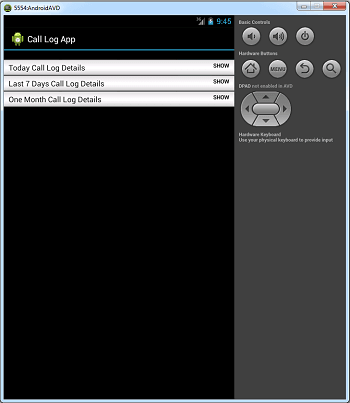
Date Picker Example
package com.jtechies.datepicker;

import java.util.Calendar;
import com.jtechies.datepicker.R;

import android.app.Activity;
import android.app.DatePickerDialog;
import android.app.Dialog;
import android.os.Bundle;
import android.view.View;
import android.view.View.OnClickListener;
import android.widget.Button;
import android.widget.DatePicker;
import android.widget.TextView;

public class DatePickerExample
extends Activity {

	private TextView Output;
	private Button changeDate;

	private int year;
	private int month;
	private int day;

	static final int DATE_PICKER_ID
	= 1111;

	@Override
	public void onCreate
	(Bundle savedInstanceState) {
		super.onCreate(savedInstanceState);
		setContentView(R.layout.main);

		Output = (TextView) findViewById
		(R.id.Output);
		changeDate = (Button) findViewById
		(R.id.changeDate);

		// Get current date by calender

		final Calendar c =
		Calendar.getInstance();
		year  = c.get(Calendar.YEAR);
		month = c.get(Calendar.MONTH);
		day   = c.get(Calendar.DAY_OF_MONTH);

		// Show current date

		Output.setText(new StringBuilder()
		// Month is 0 based, just add 1
				.append(month + 1)
				.append("-").append(day).append("-")
				.append(year).append(" "));

		// Button listener to show
		// date picker dialog

		changeDate.setOnClickListener
		(new OnClickListener() {

			@Override
			public void onClick(View v) {

			// On button click show datepicker dialog
				showDialog(DATE_PICKER_ID);

			}

		});
   }


	@Override
	protected Dialog onCreateDialog(int id) {
		switch (id) {
		case DATE_PICKER_ID:

			// open datepicker dialog.
			// set date picker for current date
			// add pickerListener listner to date picker
			return new DatePickerDialog
			(this, pickerListener,
				year, month, day);
		}
		return null;
	}

	private DatePickerDialog.OnDateSetListener
	pickerListener =
		new DatePickerDialog.OnDateSetListener() {

		// when dialog box is closed,
		//below method will be called.
		@Override
		public void onDateSet
		(DatePicker view, int selectedYear,
				int selectedMonth, int selectedDay) {

			year  = selectedYear;
			month = selectedMonth;
			day   = selectedDay;

			// Show selected date
			Output.setText
			(new StringBuilder().append(month + 1)
				.append("-").append(day)
				.append("-").append(year)
					.append(" "));

		   }
	    };

}
<?xml version="1.0" encoding="utf-8"?>
<LinearLayout xmlns:android=
"http://schemas.android.com/apk/res/android"
    android:layout_width="fill_parent"
    android:layout_height="fill_parent"
    android:orientation="vertical" >

    <Button
        android:id="@+id/changeDate"
        android:layout_width="wrap_content"
        android:layout_height="wrap_content"
        android:text="Click To Change Date" />

    <TextView
        android:layout_width=
        "wrap_content"
        android:layout_height=
        "wrap_content"
        android:text=
        "Current/Selected Date (MM-DD-YYYY): "
        android:textAppearance=
        "?android:attr/textAppearanceLarge" />

    <TextView
        android:id="@+id/Output"
        android:layout_width="wrap_content"
        android:layout_height="wrap_content"
        android:text=""
        android:textAppearance=
        "?android:attr/textAppearanceLarge" />
</LinearLayout>
<?xml version="1.0" encoding="utf-8"?>
<manifest xmlns:android=
"http://schemas.android.com/apk/res/android"
    package="com.jtechies.datepicker"
    android:versionCode="1"
    android:versionName="1.0" >

    <uses-sdk android:minSdkVersion="8" />

    <application
        android:icon=
        "@drawable/ic_launcher"
        android:label=
        "@string/app_name" >
        <activity
            android:label=
            "@string/app_name"
            android:name=
            "com.jtechies.datepicker.DatePickerExample" >
            <intent-filter >
                <action android:name=
                "android.intent.action.MAIN" />

                <category android:name=
                "android.intent.category.LAUNCHER" />
            </intent-filter>
        </activity>
    </application>
</manifest>