HTML5 Canvas Tag
HTML5 <canvas> tag helps to draw image, text, oval, rectangle etc.
<canvas>tag is usually a container in which draw any shape using script like javascript.<canvas>is the rectangular area on the web page.- By default canvas has no border and not visible before draw shape.
- You have script as a paint brush to draw shape and make it visible.
Syntax :
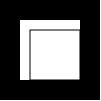
<canvas id="Canvas1" width="100" height="100"
 style="border:solid 1px #000000">
</canvas>
Output :
HTML5 <canvas> Shapes
Rectangle
clearRect(x, y,width,height) :This method clear Rectangle at the particular rangefillRect(x, y,width,height) :This method fill the rectangle.strokeRect(x, y,width,height) :This method create a rectangular outline.Paths
arc(x, y, radius,startAngle, endAngle,anticlockwise) :This method draw an arc.beginPath() :This method reset the Path.closePath() :This method close the current subpath and start a new subpath.fill() :This method fill the subpath.moveTo(x,y) :This method make a new subpath at given point.stroke(x,y) :This method stroke the subpath with given style.Image
beginPath() :This method reset the Path.closePath() :This method close the current subpath and start a new subpath.drawImage(img,x,y):This method draw an image.fill() :This method fill the subpath.moveTo(x,y) :This method make a new subpath at given point.stroke(x,y) :This method stroke the subpath with given style.Text & Fonts
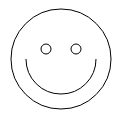
fillText(text,x, y[,maxWidth]) :This method fill the Text.font[=value] :This method give current font setting to be change.strokeText(text,x, y[,maxWidth] ) :This method stroke the given Text.textAlign[=value] :This method set the alignment of the Text as Start,End,Left,Right and Center.textBaseline[ = value ] :This method give the baseline alignment as alphabetic, bottom, hanging, ideographic, middle and top.
Methods
Example
Methods
Example
Methods
Example
Methods
Example